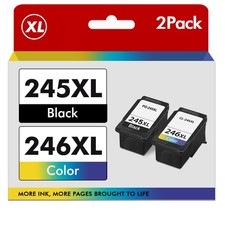
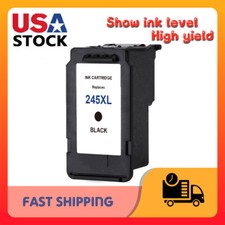
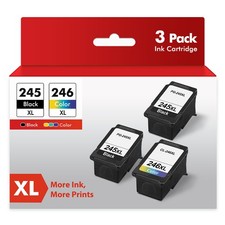
This Papatbo 245XL compatible black ink cartridge offers an affordable solution for everyday printing. Designed for select Canon PIXMA printers, it produces sharp black text for documents, reports, forms, shipping paperwork, and school assignments.
PACKAGE INCLUDES
• (1) Compatible Canon PG-245XL Black Ink Cartridge
• Color: Black
• Brand: Papatbo
• This listing is for one black cartridge only
APPROXIMATE PAGE YIELD
• Black: Up to 500 pages
Page yield is based on approximately 5% page coverage. Actual results will vary depending on printed content, printer settings, cleaning cycles, and frequency of use.
COMPATIBLE PRINTERS
Canon PIXMA TR Series:
• TR4500
• TR4520
• TR4522
• TR4527
Canon PIXMA MX and iP Series:
• MX490
• MX492
• iP2820
Canon PIXMA MG Series:
• MG2420
• MG2500
• MG2520
• MG2522
• MG2525
• MG2555
• MG2920
• MG2922
• MG2924
• MG3020
• MG3022
• MG3029
Canon PIXMA TS Series:
• TS202
• TS302
• TS302a
• TS3100
• TS3120
• TS3122
• TS3129
• TS3300
• TS3320
• TS3322
Please confirm your exact printer model before purchasing. Cartridge numbers that look similar may not be interchangeable.
PRODUCT FEATURES
• High-yield black ink cartridge
• Produces crisp, easy-to-read black text
• Ideal for documents, reports, forms, schoolwork, and everyday printing
• Water-based ink formula
• Simple installation
• Each cartridge undergoes quality testing for compatibility and print performance
• Economical alternative to expensive Canon-brand cartridges
SHIPPING
• Fast and free shipping
• Ships within 2 business days
• USPS tracking is included
• Each item is inspected before shipment
RETURNS
A 14-day money-back guarantee is offered if the item is defective or not as described.
• The cartridge must be returned to receive a refund
• Buyer is responsible for return shipping
• A clear photo of any printer error message or error code may be required
IMPORTANT
This is a compatible NON-OEM ink cartridge sold under the Papatbo brand. It is not manufactured, sponsored, endorsed, or distributed by Canon.
If the printer does not recognize the cartridge:
• Remove and carefully reinstall the cartridge
• Make sure all protective tape and covers have been removed
• Turn the printer off and unplug it for approximately two minutes
• Reconnect the printer and turn it back on
• Do not touch the copper contacts or printhead nozzles
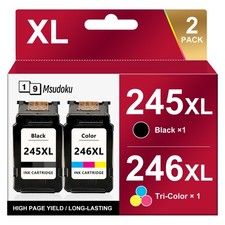
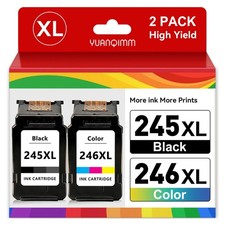
Stock images may be used. Product labeling or packaging may vary slightly from the images shown, but the cartridge type and compatibility will remain as described.
This product is best suited for buyers who are comfortable using compatible ink cartridges and performing basic printer troubleshooting when necessary.
By purchasing this item, you acknowledge that this is a compatible non-OEM cartridge and that you have confirmed your printer model is listed above.