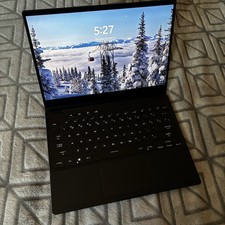
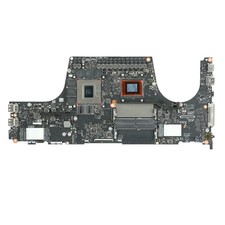
Basic specs (also in the part above):When I bought it new, this award winning laptop cost just over $3,700. I'm offering it for $800 less than that given the notes detailed below and in the photos plus another $250 for the 2TB SSD that I added to it. If the $250 savings is worth your while, I can remove the SSD and list it separately and return it to a 1 TB SSD capacity, just message me and we can sort that out. Aesthetically, this is a nice looking laptop without the numpad on the right which means it is smaller and lighter than most of the other laptops out there. It also doesn't have a bunch of art printed on it so it is more of a clean slate look which I like.
13th Gen Intel Core i9-13900H Processor 2.6 GHz (24M Cache, up to 5.4 GHz, 14 Cores: 6 P-cores and 8 E-cores), very high end GPU (RTX 4070) so can drive a very high end monitor or use it at WQXGA (2500 x 1600) on the 16 inch QHD+ screen which is very nice, RGB Keyboard, 32 GB Ram (Max Capacity of 64GB), Thunderbolt 4 and USB C and A, touch screen that will please the artist in the family (you can fold it a bunch of different ways or flat and use it like an iPad (with the power you can't get on a MacBook Pro). Wi-Fi 6E (802.11ax) (Triple band) 2*2 + Bluetooth 5.3. Be sure to double check these specs on the Asus ROG Laptops page where you can search them up, and be sure to read the reviews.Upgraded specs (included in the part above, but not spelled out):There is a second SSD slot on the motherboard and I added aCrucial P3 Plus PCIe Gen4 NVMe 2TB SSD, Up to 5,000MB/s Read, Laptop & Desktop (PC) Compatible, Solid State Drive – CT2000P3SSD8. This memory stick new costs $306.80 on Amazon today, but I'm offering it for $250 so the price I'm offering the laptop for is $3,150.
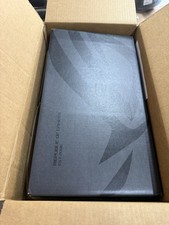
Included: I think I still have the box it came in, so if I can find it I will ship it in that with some wrapping or in another box.
Audio - Hi-Res certfication (for headphone), supports Dolby Atmos, and 4 speaker system with Smart Amplifier.
This laptop isn't something you can buy in a retail store, it is top end 2023 ASUS model which means it will blow away pretty much everything you can find at Best Buy or MicroCenter in 2026 for running local LLM's, gaming, VR, and flight sims. It has a large power supply because I know if you are looking at it that you are either using it for AI or you are a hard core gamer. I used it for both. See notes below regarding games, but know that I was able to run local LLM models up to around Meta Llama 7B in wsl Linux instances without performance issues before they were trendy. You can do a lot more with a lot less, but I bought a laptop with more GPU capability recently and I don't have needs that involve a second workstation.
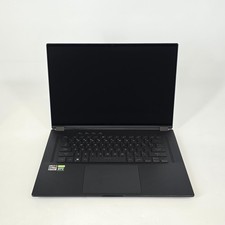
If you are a nerd like me who really cares about specs and details, here is what you might want to know:First off, in the name of transparency...the Touch Screen Assembly (layers over the screen) has some cracks, see the white background photo for details. You could order one and replace it if you are comfortable with that, or take it somewhere and they will charge you labor plus probably some markup. The screen has a $175-188 Touch Screen Assembly that you can buy on or big online sellers, probably small. This is from a drop from 2-3 feet in a backpack from the hatchback of a rental car that slightly bent one corner of the screen housing's corner and took a bite out of the lower left corner of the keyboard base. I put a small piece of black tape over it and only notice it with that off, but you might be able to come up with something that looks a lot better. If you use it as a desktop replacement like I did until I got into something that called for more slightly more CPU and GPU ram (don't get me wrong, this one has 32GB RAM which is nice, and you can upgrade it, but the GPU RAM (8 GB) isn't enough for what I'm doing with it anymore..., but for most people including power users that should not be a limiter. If you need more then you can just plug a CalDigit Thunderbolt 4 dock (or your preferred choice) and connect to whatever you want. I bought a nice keyboard and ASUS Gaming mouse with a nice gaming mousepad. You can also plug in an external GPU which means the DisplayPort compatibility, USB C, and TB4, and ROG XG Mobile Interface will open up your options considerably. Last, but not least, the C key works but you have to mash it a little more than the other keys sometimes. Other than that, everything works so if you are ok with these read on and learn more about my experience with it and lessons learned that I can pass on.
I bought it for running MS Flight Simulator 2024 on a VR Headset, and for that it shines as long as you set up a cooling device. I used a Honeywell Home Air Filter, the lowest price model is fine, that has long rectangle shaped output and put it so it pointed right at the rear radiator on the back of the laptop. This laptop was bleeding edge specs in 2023, and has better specs than most 2026 gaming laptops you can buy at marked up prices due to the cost of RAM (thanks AI). For every other game I have played on it, I did not have anything even close to approaching the heat management needs for running MSFS24 on an either of two high res VR headsets so you should be fine. I had to order it from ASUS, retail stores don't sell laptops with these kinds of specs. I think it was around $3,700 new.
I made two upgrades, one is reflected in the specs: I upgraded it to Windows 11 Pro, which turned out not to be so great for running the VR Headset I bought after Microsoft made it obsolete beyond Windows 10. I also added a 2 TB SSD in the extra slot that you can easily access from the bottom of the case. It came with 1 TB, but I wanted a second just for games and 3D printer files which take up quite a bit of space.
One of kids is really going to miss this laptop because the size of the touch screen and the responsiveness of it makes it a really amazing digital art tablet by either finger touch or the ASUS Pen 2.0 SA203H (I'm also selling that separately).
Last, but not least, a note about portability. I used this laptop to deliver in person business presentations. It folds into a tent shape where all you see is the screen with no keyboard so kind of ideal for it. The battery life isn't as good as a MacBook Pro, but then you can't play games and do VR and some other things on one of those so it is kind of a choose any three options you want or battery life to the max. My solution was to buy the ROG 100W USB-C Adapter which I am selling separately (it runs about $89.99 new) which works for most things, but it will not prevent enough juice for VR or high end game graphics so for that you have to bring the bigger one along. I used the 100W adapter about 10-20% of the time when I'm not at home so I usually leave it behind. When I'm at home I dock it to a CalDigit Thunderbolt 4 Dock so all I have to plug in is one cable, and I have never needed anything more than that.