WAVLINK 14-in-1 USB-C/A DisplayLink Docking Station — 2xHDMI / 2xDP / 6xUSB3.0 / RJ45 / Audio WAVLINK · DisplayLink Universal Docking Station2xHDMI / 2xDP / 6xUSB3.0 / RJ45 / Audio
14-IN-1 USB-C & USB-A Laptop Docking Station — Dual 5K Display, Gigabit Ethernet, 6× USB 3.0, Audio & Mic, Universal Compatibility for Mac & Windows
Dual 5K Displays 2× HDMI + 2× DP 6× USB 3.0 · 5Gbps 1000Mbps Ethernet Audio & Mic Jack USB-C & USB-A Host DisplayLink Chip Extend & Mirror Mode Product Comparison — Connectivity & Performance
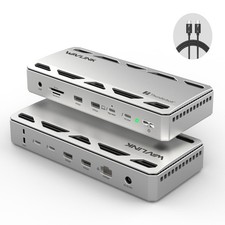
Two WAVLINK 14-in-1 DisplayLink docking stations. Both deliver 2× HDMI + 2× DP, 6× USB 3.0 and Gigabit Ethernet — compare the details below to find your perfect match.
FeatureGray — WL-UG69DK7Black— WL-UG69DK1Color / HousingGray finish, sleek silver aluminum shellBlack finishVideo Outputs2× HDMI + 2× DP2× HDMI + 2× DPDisplay GroupsDISPLAY 1 (HDMI1 + DP1) | DISPLAY 2 (HDMI2 + DP2)DISPLAY 1 | DISPLAY 2 (HDMI + DP in each group)Max ResolutionSingle or Dual 5K up to 5120×1440 @ 60HzUp to 5K 5120×2880 @ 60Hz via HDMI and/or DisplayPort;
Dual 4K Ultra HD 4096×2160 @ 60HzDisplay ModesExtend mode & Mirror mode; supports rotation mode and clamshell modeExtend mode & Mirror modeUSB Ports6× USB-A 3.0 at 5Gbps; one port supports BC1.2 fast charging (7.5W)6× USB 3.0 at 5Gbps (backward compatible with USB 2.0 on the 14-in-1 platform)Ethernet1000Mbps RJ45 Gigabit, backward compatible with 100/10MbpsGigabit RJ45 wired networkAudio2-in-1 Audio & Microphone jack — clear output and fluent voice input at the same timeEarphone and Microphone jack; 5.1 channel surround sound through Display and HDMI portsChipsetUpgraded DisplayLink chipDL6950 + VL813PowerDC 20V PD input / 20V DC power adapter (included)20V/2A power adapter; 100–240V inputLED & SwitchBlue LED indicatorLED indicator with ON/OFF switchProduct Comparison — Compatibility, Cables & PackageFeatureGray — WL-UG69DK7BlackWindows SupportWindows 11 / 10 / 8.1 / 8 / 7 / VistaWindows 7/8/8.1/10/11Mac SupportMac OS 10.14 – 14.x and latestMac OS X 10.6 Snow Leopard – 10.12 SierraOther SystemsAndroid 5.0 or later, Ubuntu 20.04 / 22.04, Chrome OS, Harmony OSAndroidHost DevicesUSB-C / USB-A laptops, desktop PCs, tablets and mobile phones — Mac Intel / M1 / M2, Dell, HP, Lenovo, ASUS, Surface Pro and moreAny host with a standard USB-A or USB Type-C connector — fully backward-compatible and future-proofIncluded CablesUSB-C to USB-C cable (100cm), USB-C to USB-A cable (100cm), power adapter cable (120cm)USB 3.0 C to C cable, USB 3.0 A to C cable, DC 20V certified power adapterIn the Box1× Docking Station, 1× USB-C to C Cable, 1× USB 3.0 A to C Cable, 1× DC 20V Power Adapter, 1× Quick Start Guide1× Universal Dock Station, 1× DC 20V Certified Power Adapter, 1× USB 3.0 C to C Cable, 1× USB 3.0 A to C Cable, 1× CD Driver, 1× Instruction ManualSetupDownload the latest DisplayLink driver from the official DisplayLink , then follow the Quick Start GuideDownload the latest DisplayLink driver from the certified DisplayLink, then follow the instruction manualWhich One Is Right for You?Gray — WL-UG69DK7Best for Modern Mac & Windows Setups
- Mac users on Intel/M1/M2/M3/M4 who want to extend dual monitors with different content on the latest Mac OS 10.14 – 14.x.
- Workstations running Windows 11 / 10 / 8.1 / 8 / 7 / Vista, plus Ubuntu 20.04 & 22.04, Chrome OS, Harmony OS or Android 5.0+.
- Anyone who needs rotation mode or clamshell mode for vertical screens or a closed-lid desk setup.
- Users who want a 7.5W BC1.2 charging port for a smartwatch or phone right on the dock.
- People who prefer a silver aluminum shell that matches modern desks, with non-slip pads for stable placement.
- Mixed-device teams — the box includes both a USB-C to C cable and a USB-C to A cable.
Black — 14-in-1 Universal DockBest for Classic Systems & High-Resolution Work
- Users who want a single high-resolution 5K 5120×2880 @ 60Hz display or dual 4K 4096×2160 @ 60Hz monitors.
- Workflows that benefit from 5.1 channel surround sound through the Display and HDMI ports.
- Legacy environments on Windows 7 / 8 / 8.1 / 10 or Mac OS X 10.6 – 10.12, plus Android devices.
- Anyone who wants a built-in ON/OFF switch and an LED indicator for quick power control.
- Buyers who like having a CD driver and printed instruction manual included in the box.
- Flexible desk setups — connect up to two additional monitors and your peripherals through a single USB cable.
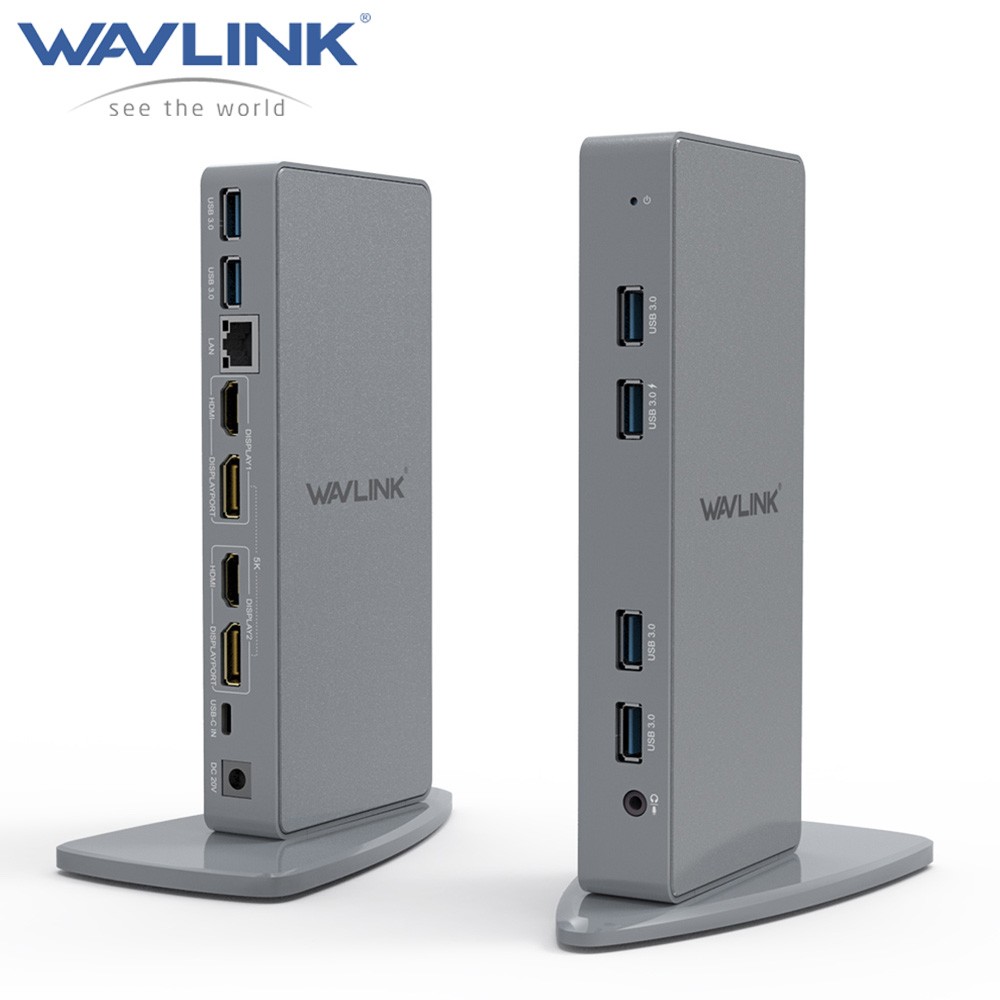
2xHDMI / 2xDP / 6xUSB3.0 / RJ45 / Audio — Gray
DisplayLink Docking Station Dual Monitor, WAVLINK 14-IN-1 USB-C/A Laptop Dock with 2 5K HDMI, 2 5K DP, 1000Mbps Ethernet, 6 USB 3.0, Audio & Mic, Suitable for Mac M1/M2/Intel, Dell, HP, Surface Pro
Features 【14-IN-1 Laptop Docking Station】 Equipped with two 5K DISPLAYs (DP1+HDMI1 and DP2+HDMI2), six USB-A 3.0 ports (supporting 5Gbps data transfer), a 1000Mbps Ethernet port, a 20V DC PD input, and a 2-in-1 audio & microphone jack, the WAVLINK multiport adapter offers versatile connectivity options. It significantly enhances work efficiency while keeping your workspace tidy and organized. 【Single/Dual 5K Ensures Visual Enjoyment】 The DisplayLink docking station supports single or dual monitors with a resolution of up to 5120x1440@60Hz through Display 1 (DP1+HDMI1) and Display 2 (DP2+HDMI2). You can enjoy crystal-clear visual content on 5K displays, and easily expand your workspace across multiple monitors using mirror mode or extend mode. Note: In the same video stream group (DISPLAY 1/2), the DP port and HDMI port cannot be used at the same time. 【Universal Compatibility】 The dock comes with USB-C to C/A cables, ensuring compatibility with various USB-A/C devices such as Macbook (Intel/M1/M2), Dell XPS, Lenovo ThinkPad, Acer Chromebook, and more. Compatible with Windows 11/10/8.1/8/7/Vista, Mac OS 10.14-14.x and latest, Android 5.0 or later, Ubuntu 20.04, 22.04, Chrome OS and Harmony OS. Please download the DisplayLink driver before use. 【Up to 6x5Gbps USB-A Ports】 Come and get the multiport dock to experience lightning-fast data transmission. The speed of 5Gbps allows you to transfer videos and other large files within seconds. Backward compatible with USB 2.0, supporting connecting a vast array of peripherals, such as external hard drives, keyboards, mice, and printers. One of the 6 USB-A ports supports BC1.2 fast charging, providing a 7.5W charging speed for your smartwatches or phones. 【1000Mbps RJ45 & 2-IN-1 Phone Jack】 The USB-C docking station features a Gigabit Ethernet port, offering a stable and fast wired network connection, which allows for efficient multitasking and seamless streaming of UHD videos. It is also backward compatible with 100/10Mbps connections. Additionally, the 4-pole audio & mic jack provides clear audio output and fluent voice input simultaneously.
WAVLINK DisplayLink Dual 5K Monitor USB C&A Docking Station for Dell/HP/Lenovo/Asus Laptop, Intel/M1/M2 MacBook Supported!
WAVLINK 14-in-1 docking station unlocks the full potential of your laptop with 5K DISPLAY 1 (DP1+HDMI1), 5K DISPLAY 2 (DP2+HDMI2), 6x5Gbps USB-A 3.0, 1000Mbps Ethernet port, 20V DC PD in and 2-in-1 audio & microphone jack. Note: In the same video stream group (DISPLAY 1/2), the DP port and HDMI port cannot be used at the same time. If HDMI and DP Port in DISPLAY 1/2 are connected to your monitors simultaneously, DP Port will work in priority. Both Windows & Mac support extend mode and mirror mode, allowing you to appreciate every detail on single or dual monitors.
Broad Compatibility
The DisplayLink dock is compatible with Windows 11/10/8.1/8/7/Vista, Mac OS 10.14-14.x and latest, Android 5.0 or later, Ubuntu 20.04, 22.04, Chrome OS and Harmony OS, suitable for most USB-A/C devices.
Driver Installation Required
To ensure proper functionality, please follow the instructions on the product's detail page to download and install the DisplayLink driver before using the dock. On Mac, you also need to grant Screen Recording Permission by enabling "Allow DisplayLink Manager to join" in Privacy & Security settings.
Super-Fast Data Transfer
With 6 x USB-A 3.0 ports, the dock allows you to transfer large files at a speed of 5Gbps and connect multiple external USB devices like mice, printers and scanners. The 1000Mbps RJ45 port provides you with a reliable and smooth network connection.
Versatile Applications
The USB-C/A dock caters to various needs in different scenarios, such as office work, IT programming, conferences, and home theater. It supports rotation mode and clamshell mode, adding flexibility to its usage.
USB-C to A&C Cables Included
The dock comes with a USB-C to C cable and a USB-C to A cable, allowing you to use it with both USB-A and USB-C laptops, which expands its compatibility and usability.
DisplayLink Chip for Enhanced Performance
Powered by an upgraded DisplayLink chip, the dock overcomes limitations associated with the MacBook M2/M1 processors, allowing Intel/M1/M2-based Macbooks effortlessly extend dual monitors with different content.
Premium Quality
The WAVLINK docking station features a sleek silver aluminum shell, combining aesthetics with durability. The bottom of the dock is equipped with non-slip pads to ensure stable placement on any flat surface.
Systems / Devices Compatibility
Compatible with Windows 11/10/8.1/8/7/Vista, Mac OS 10.14-14.x and latest, Android 5.0 or later, Ubuntu 20.04, 22.04, Chrome OS and Harmony OS.
Works with your USB-C/A Desktop PCs, Laptops, Tablets, Mobile Phones.
How to Download the DisplayLink Driver?
4 Easy Steps
- Step 1: Go to web "displaylink.com"
- Step 2: Choose the corresponding driver of your system
- Step 3: Download & install the driver
- Step 4: Start use after easy setting according to the Quick Start Guide
Specification
1. Model: WL-UG69DK7
2. Ports: 1x DC 20V, 1x Host Type-C, DISPLAY 1 (HDMI1+DP1), DISPLAY 2 (HDMI2+DP2), 6x USB3.0, 1x Earphone/Microphone Jack, 1x Gigabit Ethernet
3. Unit Size: 8.3 x 2.7 x 19.0cm / 3.3 x 1.1 x 7.5in (L x W x H)
Base Panel: 15.0 x 8.0cm / 5.9 x 3.1in
4. Cable Length:
USB-C to USB-A Cable: 100cm / 39.4in
USB-C to USB-C Cable: 100cm / 39.4in
Power Adapter Cable: 120cm / 47.2in
5. Unit Weight: 558g / 19.7oz
6. Housing Material: Aluminum
7. Shell Color: Silver
8. LED Color: Blue
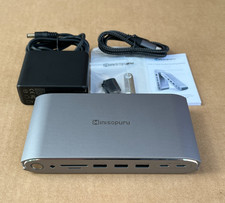
In the Box
- 1x USB-C Dual 4K Universal Docking Station
- 1x USB 3.0 C to C Cable
- 1x USB 3.0 A to C Cable
- 1x DC 20V Power Adapter
- 1x Quick Start Guide
Warm Tips
- Please follow the steps in the detail page to download the latest DisplayLink driver from the official website before use.
- Keep the docking station connected to a power source when using it (power adapter included in the package).
- In the same video stream group (DISPLAY 1/2), the DP port and HDMI port cannot be used at the same time. If HDMI and DP Port in DISPLAY 1/2 are connected to your monitors simultaneously, DP Port will work in priority.
- On Mac, rotation/clamshell mode requires Mac OS 12.0 and above to support.
Host Devices Compatibility List (Partial)
Note: Please check the compatibility list below before purchasing. If your device is not on the list, please let us know and we will be glad to help you check with it.
Apple: Mac Studio 2022, iMac (2017, 2019, 2020), MacBook Pro 16-inch (2019, 2021), MacBook Air 13-inch (2018, 2019, 2020), MacBook Pro 13-inch (2016, 2017, 2018, 2019, 2020), MacBook Pro 14-inch 2021, MacBook Pro 15-inch (2016, 2017, 2018, 2019)
Dell: XPS 13 7390 2-in-1 (Ice Lake), XPS 12 9250, XPS 13 9350, XPS 13 9360, XPS 13 9370, XPS 13 9380, XPS 15 9550 (Intel + Nvidia GPU), XPS 15 9550 (Intel GPU), XPS 15 9560 (Intel + Nvidia GPU), XPS 15 9570, XPS 17 9700, XPS 12 XPS9250, Dell LATITUDE 7480, Alienware 13 R3, Alienware 15 R3, Alienware 17 R4, Dell Precision 15 M7510, Dell Precision 17 M7710, Dell XPS 13 9365, Dell Precision 15 5000 Series (5510), Dell Precision 15 3000 Series (3510), Dell Latitude 7370 (3C7XP), Dell Latitude 12 7275, Alienware 17 R3, Dell Precision M5510 15.6"
HP: EliteBook Folio G1 (Model V1C43EA), Spectre x360 Convertible 13-w000 (SKU W9A95AV), Spectre x360 - 13-ac003la, Spectre x360 - 15-ch000, Elite X2 1012 G1, HP Spectre x360 - 13-ae011dx (Late 2017), Elite x2 1012 G2, HP Spectre x360 (2017), HP EliteBook Folio G1 12.5", HP ZBook 15 G3, HP Zbook 17 G3 Workstation, HP ZBook Studio Series, HP Elite X2 1012 G1, HP Spectre x360 2-in-1 13-W023DX 13.3"
Intel: NUC8i7HVK (Hades Canyon), NUC8i7HNK (Hades Canyon), NUC9VXQNX (Ghost Canyon), Intel NUC9V7QNX (Ghost Canyon), Intel NUC9i9QNX (Ghost Canyon), Intel NUC9i7QNX (Ghost Canyon), Intel NUC9i5QNX (Ghost Canyon)
Lenovo: Thinkpad P50, Thinkpad P51, Thinkpad P70, Lenovo Yoga C930, Lenovo X1 Carbon 7th Gen, ThinkPad P70 Series Mobile Workstation, Lenovo Legion Y720, Lenovo ThinkPad T570, Lenovo Miix 720, Lenovo ThinkPad X1 Carbon (5th Gen 2017), Lenovo ThinkPad X1 Yoga (2nd Gen 2017), Lenovo ThinkPad P50
Others: MSI VR Ready GS43VR Phantom Pro-006; ASUS ZenBook Pro UX501VW and more.
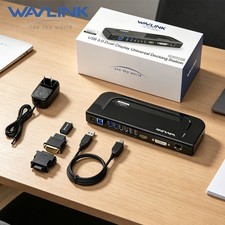
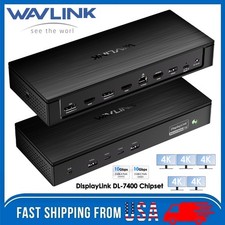
2xHDMI / 2xDP / 6xUSB3.0 / RJ45 / Audio — Black
Wavlink USB C 5K Laptop Universal Docking Station Ultra HD Multiple Display Dock with 2 × HDMI and DisplayPort, Gigabit Ethernet, Type C, 6 × USB 3.0, Audio, Mic, Supports Windows Mac OS
Features • USB-C Dual-Monitor Docking Station for Laptops • Via HDMI and/or DisplayPort supports resolution up to 5K (5120×2880 @ 60HZ); Supports Dual 4K Ultra HD video (4096×2160 @ 60HZ). • Supports extend and mirror mode. 5.1 channel surround-sound through Display and HDMI Port. • Provides you with high resolution picture quality, expandable up to 6 displays, also includes an audio input/output and Gigabit Ethernet port! • Universal docking station is suitable for use with Windows 10, 8.1, 8, 7, & legacy XP systems, Mac OS, Android. Download Latest Driver from Certified DisplayLink website.
Wavlink Brings Technology to Life
The new USB Type-C connector works seamlessly with this Ultra HD 4K Universal Docking Station. It can connect to any host with Standard A or Type C connectors providing a fully backward-compatible and future-proof docking station. Allow you to connect up to two additional monitors and eleven accessories through a single USB cable. Including the latest drivers for compatibility with Windows 10/8.1/7 or Apple Mac OS.
USB-C Connectivity, Better Performance
USB-C is a new technology and has many different capabilities, so it's extremely important to learn what your host device can deliver in order to select the correct docking station for your system. USB Type-C connectivity is also the latest and extremely reliable technology for video performance. As a result, it will provide a crisp and clear display for you.
Designed perfectly for you
With a single cable, the dock can free up space on your desk and in your workspace with the added ability to mount behind a monitor or on your desk. Great for presentations, the sleek Dock enables fast, efficient connectivity to multiple displays and all your various peripherals (like a mouse, keyboard or flash drive) through one convenient cable.
5K@60HZ Output
14.7 million pixels give you amazing feast vision, showing every detail clearly as like be personally on the scene. It also helps to improve operational efficiency on images and video editing.
Dual 4K@60HZ
Featuring the DisplayPort and HDMI port, Wavlink Docking Station gives you the flexibility to connect your displays as needed. It supports dual monitors or a single high resolution 4K monitor. It will greatly help you facilitate high-resolution works, graphically intensive images, video editing, CAD drawings, medical imagery and more.
SuperSpeed USB 3.0
SuperSpeed USB3.0 provides up to 5Gbps data transfer speeds, which is 10 times faster than USB2.0. The WAVLINK Universal Dock features 6 × USB3.0 ports, allowing for SuperSpeed data transfer between peripherals.
Blazing-fast Gigabit Ethernet
Wired network connections are faster and more reliable than any Wi-Fi. The dock helps you tap into the full performance of wired network connections with built-in Gigabit Ethernet port.
Your Choice of Sound
With separate microphone input and amplified audio output, you can enjoy crystal-clear conference calls or any other project benefits from having your voice heard. You'll be amazed at the immersive music it gives you.
System Requirements
- Windows 7 (32-bit and 64-bit editions)
- Windows 8 (32-bit and 64-bit editions)
- Windows 8.1 Update 2014 (32-bit and 64-bit editions)
- Windows 10 TH (32-bit and 64-bit editions builds up to 10586)
- Windows 10 Anniversary Update (32-bit and 64-bit editions, tested on build up to 14393)
Windows XP SP2 and Vista are supported by older versions of the DisplayLink software: displaylink
DisplayLink USB Graphics Software for Mac OS X
- El Capitan 10.11
- Yosemite 10.10
- Mavericks 10.9
- Mountain Lion 10.8
- Sierra 10.12
- Lion 10.7
- Snow Leopard 10.6
Specification
1. Voltage: 100~240V
2. Operating Temperature: 0°C ~ 40°C
3. Storage Temperature: -10 ~ 70°C
4. Port: Type-C, 2×DP, 2×HDMI, 6×USB3.0, Earphone and Microphone Jack, RJ-45 Jack, LED, ON/Off Switch
5. Chipset: DL6950 VL813
6. Processor: Core i7
7. Power Adapter: 20V/2A
(Full-Screen Video Playback) RAM: 4GB
What's in the Package?
- 1 x Wavlink USB C Universal Dock station
- 1 x DC20V Certified Power Adapter
- 1 x USB 3.0 C to C Cable
- 1 x USB 3.0 A to C Cable
- 1 x CD Driver
- 1 x Instruction Manual
Note
- HDMI and DP ports in the area of Display1 or Display2, if they are connected to the monitor at the same time, DP will have the priority.
- Please download the latest DisplayLink driver from the certified DisplayLink website before use.