Method 1: Use System Information to find your laptop model
- Step 1: Press" Windows + R "to open the Run window.
- Step 2: Type" msinfo32 "in the empty box and click" OK "to open System Information.
- Step 3: Keep in the "System Summary "sectionand you will find the" System Model "itemin the right pane.
Method 2: Open the back cover of the laptop and confirm the battery type and capacity, as well as the model of the laptop.
- Step 1: Turn off the laptop and unplug the power cord (to prevent electric shock)
- Step 2: Remove the back panel with a screwdriver. (Please proceed with care to avoid damage to the laptop's components.)
- Step 3: Disconnect the cable connected to the battery and remove it. After that, you can check the specifications of your battery.
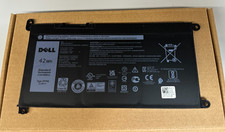
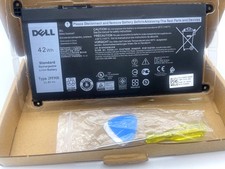
Compatible with Part Number :
JPFMR / 16DPH / 65N6H / 7T0D3 / 07GDY / 7MT0R / DN33X / RDNP5battery. (Please check your original battery, part/shape to get a correct model!)
Compatible for DELL Laptop Models:
Compatible Models (use "Ctrl+F" to find your model quickly")
- For Dell Chromebook 3400 Series
- For Dell Chromebook 5488 Series
- For Dell Chromebook 5493 Series
- For Dell Chromebook 5593 Series
- For Dell Chromebook 3100 Series
- For Dell Chromebook 3100 2-in-1 Series
Payment:
We accept payment via Credit Card/Debit Card/Apple Pay/Google Pay or PayPal etc.
Shipping:
We arrange the shipment from Monday to Friday. all order free shipping.
Items will be send as our promise handling time after Payment Verified (Available on business days only).
Please check your shipping address before payment, and make sure it contain a valid phone number.
Returns Policy:
Please freely contact us to find solution by message before you open a return/case. Communication always is best way to solve problem.
We accept any return in 30 days that we promise.