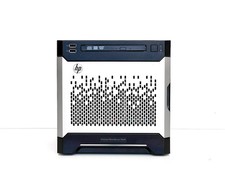
HP ProLiant MicroServer Gen8 — FULLY LOADED — 12TB Storage, 16GB RAM, Windows Server 2025 Standard PRE-INSTALLED, SSD Boot Drive, iLO Advanced Turn It On and Start Working — Nothing Else to Buy
Most "MicroServer Gen8" listings on are bare-bones shells: no operating system, no RAM upgrade, no extra drives, and definitely no remote management license. Once you add up what it actually costs to bring one of those listings up to a usable, production-ready state — a Windows Server license, enough RAM to run it properly, hard drives to actually store your data, and a licensed remote management tool — you're often spending more on the add-ons than you paid for the server itself.
This unit is different. This unit is already done.
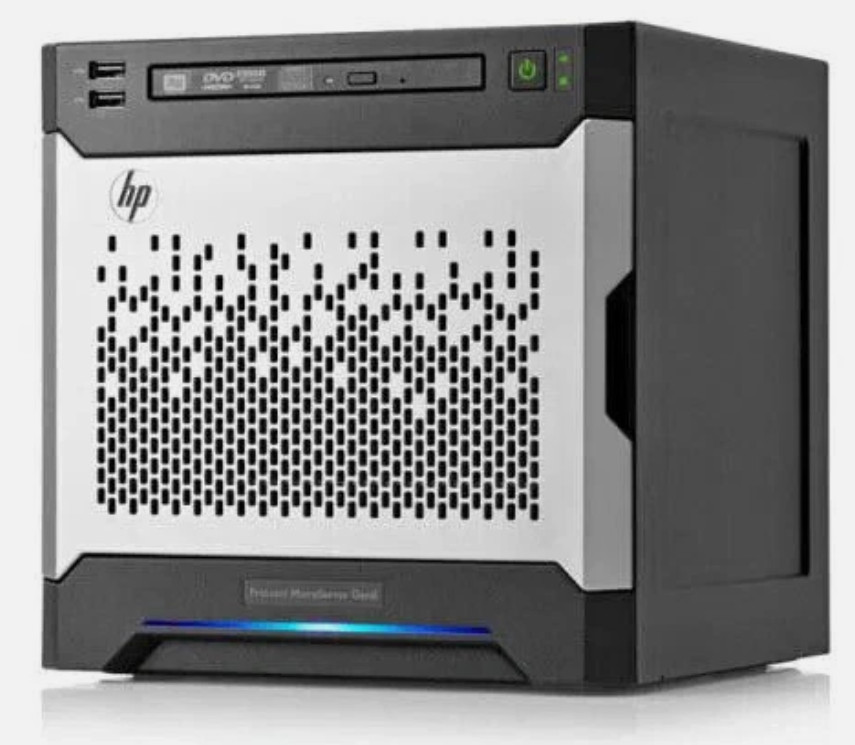
This HP ProLiant MicroServer Gen8 has been fully configured, tested, and burned in as a complete, ready-to-deploy small business server — not a parts box, not a "some assembly required" project. Plug it in, power it on, and you have a functioning Windows Server environment with 12TB of raw storage, 16GB of RAM, a dedicated SSD boot drive, and full browser-based remote management, all on day one.
Don't be fooled by a lower price tag on a bare unit elsewhere — read what you're actually getting, then compare. What Makes This Listing Different
1. Windows Server 2025 Standard — Pre-Installed and Ready to Use (BYOL)
This server ships with Windows Server 2025 Standard already installed on the boot drive. This is a Bring-Your-Own-License (BYOL) configuration — the OS is fully installed and 100% functional out of the box. Windows will periodically prompt you to activate, but it continues to run without any loss of functionality if left unactivated, giving you time to apply your own license key at your convenience (or continue evaluating it before you commit to activation).
For a small office or branch location, having a real Windows Server operating system already in place — rather than a blank drive — means you can skip the most time-consuming part of standing up a server:
- Centralized file sharing — set up shared network drives for your team in minutes using built-in File and Storage Services, instead of scattering files across individual laptops and cloud folders.
- Active Directory Domain Services — turn this into a domain controller to centrally manage user logins, computer policies, and security across your office network.
- Print and application serving — host a shared network printer queue or a small line-of-business application server without paying for cloud hosting.
- Backup target / Hyper-V host — Windows Server 2025 includes Hyper-V, so this box can also serve as a lightweight virtualization host for a second VM, or as a dedicated backup repository for other machines in the office.
- Familiar management — if you or your IT provider already know Windows Server, there's zero learning curve, unlike many consumer NAS operating systems.
For a SOHO or small branch office, this eliminates the single biggest hidden cost of a "bare" server listing: buying and installing a server OS yourself.
2. HP iLO Advanced — True Lights-Out Remote Management
This unit includes iLO (Integrated Lights-Out) with Advanced licensing — HP's browser-based, out-of-band remote management platform built directly into the server hardware.
iLO runs independently of the operating system, using its own dedicated network port, which means you (or a remote IT provider) can manage this server as if you were standing in front of it — even if Windows won't boot, even if the server is powered completely off. With iLO Advanced unlocked, an SMB owner or a remote IT team can:
- Power the server on, off, or reboot it remotely — no more driving to the office because someone unplugged something or the power went out overnight.
- View a full remote console (virtual KVM) — see the actual screen and control keyboard/mouse over the browser, including access to the BIOS and boot menu, without needing a monitor physically connected.
- Mount virtual media remotely — attach an ISO file over the network as if it were a physical CD/USB drive, useful for OS reinstalls or driver updates without being on-site.
- Get proactive health alerts — iLO monitors fans, temperature, power supply, and memory health and can email alerts before a small issue becomes a costly outage.
- Support multiple simultaneous remote sessions — useful if you use an outsourced or co-managed IT provider who needs to jump in and help alongside your own staff.
For a small business without an on-site IT department, this is the difference between "somebody has to physically go to the server closet" and "our IT provider fixed it during their morning coffee, and nobody in the office even noticed."
3. Internal SSD Boot Drive — Maximum Performance and Reliability, All 4 Bays Free for Data
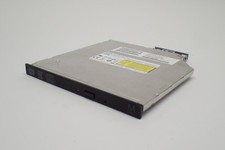
Rather than eating into one of the four front-loading hard drive bays with the operating system drive, this server has been configured with a dedicated internal SSD used exclusively to boot Windows Server. This SSD is mounted internally in the space normally occupied by the optical drive — which is why this unit does not include a DVD-ROM drive. In a modern server, an optical drive is rarely used anyway; this space was put to far better use.
Benefits of this configuration:
- Faster boot and OS responsiveness — the operating system, page file, and system services run from solid-state storage instead of a spinning disk.
- All 4 drive bays remain fully available for data storage — you aren't sacrificing a bay (or array capacity) just to hold the OS.
- Improved reliability — the boot drive has no moving parts, reducing one common point of mechanical failure.
- Clean separation of OS and data — your operating system and your business data live on physically separate drives, which is simply good server design practice.
4. Four 3TB Hard Drives Installed — 12TB of Total Raw Storage
All four drive bays are already populated with 3TB hard drives (12TB combined raw capacity) — not empty carriers, not "bays available." This is real, physical storage ready to be provisioned into whatever RAID configuration fits your needs. No sourcing drives separately, no guessing on compatibility, no additional expense.
5. Embedded HP Dynamic Smart Array B120i Controller — RAID 0, 1, or 10 Support
Storage is managed by the server's embedded HP Dynamic Smart Array B120i controller, giving you flexible RAID configuration options directly from the server's boot-time Smart Storage Administrator — no separate RAID card required:
- RAID 0 (Striping) — maximum available capacity and performance, ideal for non-critical or easily-replaceable data.
- RAID 1 (Mirroring) — real-time redundancy, so a single drive failure doesn't take down your data.
- RAID 1+0 (Striping + Mirroring) — combines redundancy and performance across all four drives, a great middle ground for a small office file server that needs both speed and protection.
The array can be configured to match your business's tolerance for downtime vs. need for capacity — the flexibility is already built in.
6. 16GB of RAM — Maximum Supported Memory
This unit is populated with 16GB of RAM (2 x 8GB), which is the maximum memory capacity supported by the MicroServer Gen8 platform. This isn't a starter configuration you'll need to upgrade in six months — it's already maxed out, giving Windows Server, Active Directory, file sharing, and any lightweight virtualization workloads plenty of headroom.
7. Intel Xeon E3-1220L v2 Processor (2.3GHz, Dual-Core)
Power comes from the Intel Xeon E3-1220L v2, a low-power, server-grade dual-core Xeon processor purpose-built for exactly this kind of always-on, small-footprint server duty. It's efficient, it's quiet, and it's a genuine Xeon — not a repurposed desktop chip — meaning it was designed from the ground up for reliable 24/7 server operation.
The Bottom Line
Add up what you'd spend to bring a bare MicroServer Gen8 to this same spec — a Windows Server license and install, 16GB of RAM, four 3TB hard drives, and an iLO Advanced license — and you'll quickly see why this listing is worth a closer look, even next to lower-priced "empty box" alternatives. This one is already built, already loaded, and already tested. Plug it in, finish the initial Windows setup screen, and you're running.
Don't be fooled by a lower sticker price on an empty server. Compare what's actually included — this one has it all. Technical Specifications Category Specification Model HP ProLiant MicroServer Gen8 (Ultra Micro Tower form factor) Processor Intel Xeon E3-1220L v2, 2.3GHz, 2-core, 3MB L3 Cache, 17W Memory 16GB RAM installed (2 x 8GB DDR3 Unbuffered ECC UDIMM) — maximum supported capacity Operating System Windows Server 2025 Standard, pre-installed (BYOL — Bring Your Own License; fully functional, unactivated) Boot Drive Dedicated internal SSD (installed in former optical drive bay) — OS runs independently of the 4 front data bays Optical Drive Not included — bay repurposed for internal SSD boot drive Data Storage 4 x 3TB SATA hard drives installed (12TB total raw capacity) across all 4 front-loading drive bays Storage Controller HP Dynamic Smart Array B120i (embedded) RAID Support RAID 0 (Striping), RAID 1 (Mirroring), RAID 1+0 (Striping + Mirroring) Remote Management HP iLO with Advanced licensing — full remote console (vKVM), remote power control, virtual media mounting, proactive health alerting Network Controller HPE Ethernet 1Gb 2-port 332i Adapter Expansion 1 x PCIe 3.0/2.0 x16 slot (low profile) USB Ports 5 total USB 2.0 (2 front, 2 rear, 1 internal) + 2 rear USB 3.0 Video Integrated Matrox G200, 1 rear VGA port Power Supply 150W Non-Hot-Plug, Non-Redundant Power Supply System Fan 1 x Non-redundant system fan Chipset Intel C204 Form Factor Ultra Micro Tower — 9.15 x 9.06 x 9.65 in (23.24 x 23 x 24.5 cm) Weight (approx., as configured) ~21.6 lb (9.8 kg)
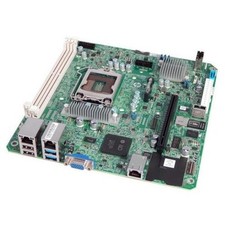
Photos show the actual unit(s) being sold, including internal component views, drive bays populated with 4TB drives, rear I/O panel, BIOS/iLO boot screen, and Windows Server initial setup screen.
(5)