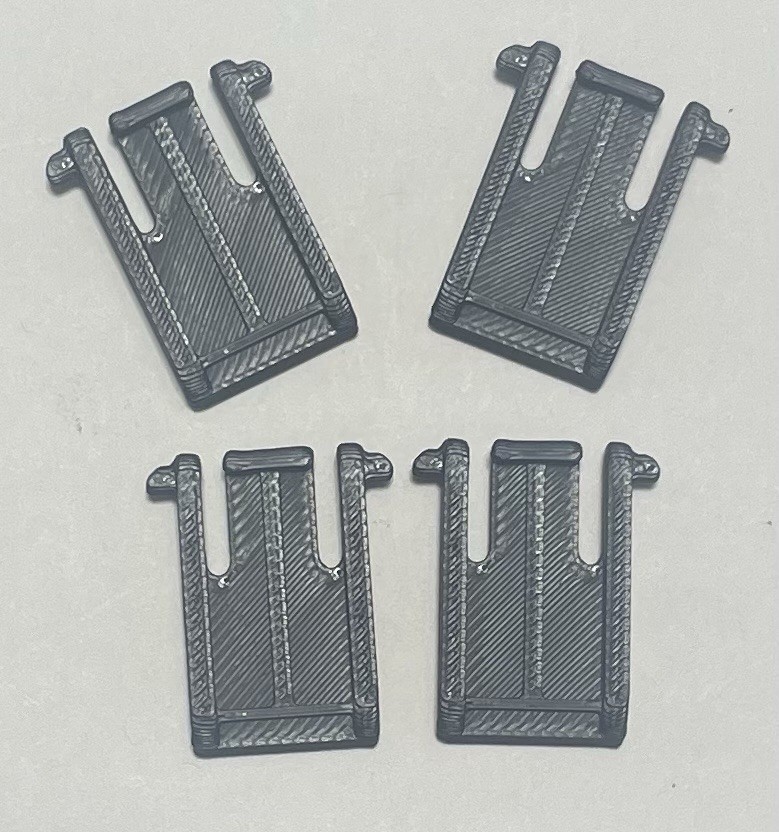
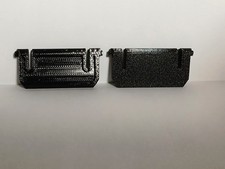
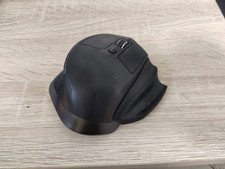
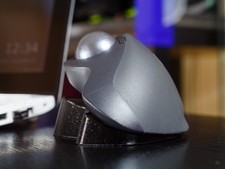
3D Printed Logitech K120 Keyboard Replacement Feet PETG - 4-Piece Pack (2 Keyboards)
Premium PETG replacement feet for Logitech K120 office keyboard — 4-piece pack covers 2 keyboards or provides spares. Professional-grade durability for business and office environments.
⚠ IMPORTANT
- This is a3D printed replacement part, not genuine Logitech OEM — 4 feet included.
- Printed in premium PETG — engineered for durability far exceeding Logitech's original plastic feet.
- 4-piece pack— covers 2 Logitech K120 keyboards or provides extras for backup/office restocking.
- Installation: Snap-fit replacement — no adhesive or tools needed.
- Perfect for office workers, IT departments, and anyone maintaining multiple K120 keyboards.
Part Details
- Keyboard Model:Logitech K120 (budget office keyboard — widely used in business environments)
- Material:PETG (professional-grade plastic — exceeds Logitech specifications)
- Color:Black (matches Logitech K120 finish)
- Quantity:4 feet (2 pair — covers 2 keyboards)
- Grip Surface:Textured finish prevents keyboard sliding on desk
- Installation:Snap-fit replacement — no modifications or tools required
Why K120 Feet Wear Out
- Thin plastic deteriorates:The K120 uses minimal plastic feet — they become slick after months of office use
- High-volume office use:K120 keyboards are used in corporate environments with constant daily use — this stresses the feet
- Budget design flaw:As a budget keyboard, the K120 has cheap feet that don't match real-world office durability needs
- Keyboard slip on desk:Worn feet allow keyboard to move during typing — affects positioning and comfort
- Mass-market failure:The K120 is one of the most widely used office keyboards — millions of them now have worn feet
PETG Professional Grade vs Logitech Original
- Office durability:PETG won't wear smooth like thin plastic — maintains grip through years of office use
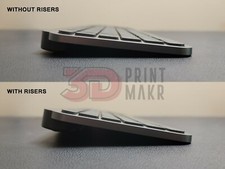
- Keyboard stability:Locked-down feet keep keyboard positioned correctly during all-day typing
- IT department solution:Perfect for bulk replacement across entire office keyboard inventory
- Cost-effective:4-pack pricing beats buying two 2-packs — ideal for offices managing multiple keyboards
- Reliability standard:Professional environments need reliable equipment — these feet deliver
Perfect for Office & Business Use
- IT departments:Maintain your keyboard inventory with professional-grade replacement feet
- Corporate offices:K120 is used in thousands of offices — solve the feet problem company-wide
- Call centers & shared desks:High-use environments = worn feet. Upgrade with PETG for reliability
- Bulk solution:4-pack covers multiple keyboards — perfect for office restocking and maintenance
Logitech K120 Compatibility
- Logitech K120 (standard wired office keyboard)
- Logitech MK120 (wireless version — same feet design)
- Any Logitech K120 variant with standard snap-fit feet
Installation Instructions
- Turn your Logitech K120 upside down — you'll see two feet (one at front, one at rear).
- Gently pry out the original feet using a flat tool (plastic spoon, card, or flathead screwdriver).
- Clean any debris from the mounting holes on the keyboard base.
- Align each new PETG foot with its mounting point and snap firmly into place — you should hear/feel a click.
- Flip the keyboard right-side up and test stability — feet should be secure and level.
- Your K120 is now restored to full functionality with durable, professional-grade feet.
Who This Is For
- Office workers using Logitech K120 keyboards in their workplace
- IT departments managing K120 keyboards across corporate offices
- Call centers and high-use office environments with worn keyboard feet
- Anyone maintaining multiple K120 keyboards who needs bulk replacement feet
Logitech is a registered trademark of Logitech International S.A. This product is a third-party replacement accessory and is not affiliated with, endorsed by, or manufactured by Logitech. Product names are used for compatibility reference only.