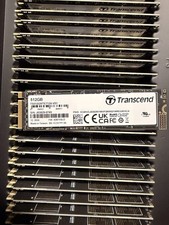
M.2 NVMe SSD to PCIe 4.0 X4 Adapter Card
64Gbps PCIe Adapter for Desktop PCs – Supports 2230/2242/2260/2280
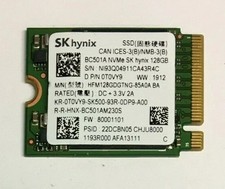
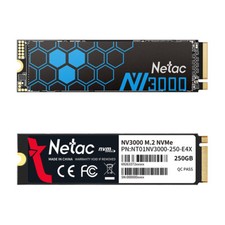
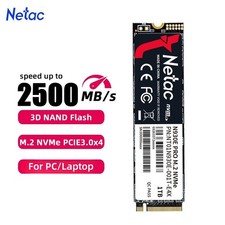
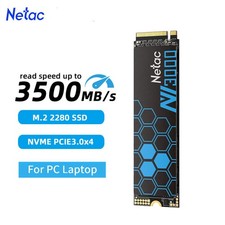
Add an M.2 NVMe SSD to a desktop computer without a built-in M.2 slot using this PCIe 4.0 adapter card. Designed for M-Key NVMe SSDs, the adapter installs into a compatible PCI Express slot and supports common M.2 drive sizes from 2230 through 2280.
Key Features
- PCIe 4.0 x4 interface with stated bandwidth up to 64Gbps
- Designed for M.2 NVMe SSDs with M-Key interface
- Supports M.2 2230, 2242, 2260 and 2280 sizes
- Compatible with PCIe x1, x4, x8 and x16 slots
- Backward compatible with PCIe 1.0, 2.0 and 3.0
- No driver required for Windows 10 according to the manufacturer
- Multi-layer PCBA design
- Includes overcurrent, overvoltage and short-circuit protection
- EMI protection and heatsink layer for improved thermal protection
Compatibility
This adapter is designed for desktop motherboards with a compatible PCI Express slot. It supports M.2 NVMe SSDs in 2230, 2242, 2260 and 2280 formats.
Important: SATA NGFF M.2 SSDs are not supported.
Product Specifications Brand OULLX Type M.2 NVMe SSD to PCIe Adapter Card Model M.2 NVME SSD to PCIe 4.0 Interface PCI Express 4.0 x4 Compatible PCIe Slots x1 / x4 / x8 / x16 Supported SSD Sizes 2230 / 2242 / 2260 / 2280 SSD Protocol NVMe SATA NGFF Support Not Supported Maximum Stated Bandwidth Up to 64Gbps PCIe Compatibility PCIe 1.0 / 2.0 / 3.0 / 4.0 Windows 10 Plug & Play / No Driver Required Protection Overcurrent, Overvoltage, Short Circuit & EMI Important Compatibility Notes
This adapter supports NVMe protocol M.2 SSDs only. SATA NGFF M.2 drives are not supported.
The manufacturer also notes that Windows 7 may require appropriate NVMe drivers and BIOS support for an NVMe SSD to be recognized or used as a boot drive. This is a system/operating-system limitation rather than a fault with the adapter.
Installation
Insert your compatible M.2 NVMe SSD into the adapter, secure it correctly, then install the adapter into an available compatible PCI Express slot on your desktop motherboard. Make sure the computer is powered off and disconnected from mains power during installation.
Secure Packaging – Carefully packed for shipping.
30-Day Returns – Returns accepted according to our return policy.
Thank you for shopping with us!