Product specification: thickness 0.9cm x length 10cm x width cm
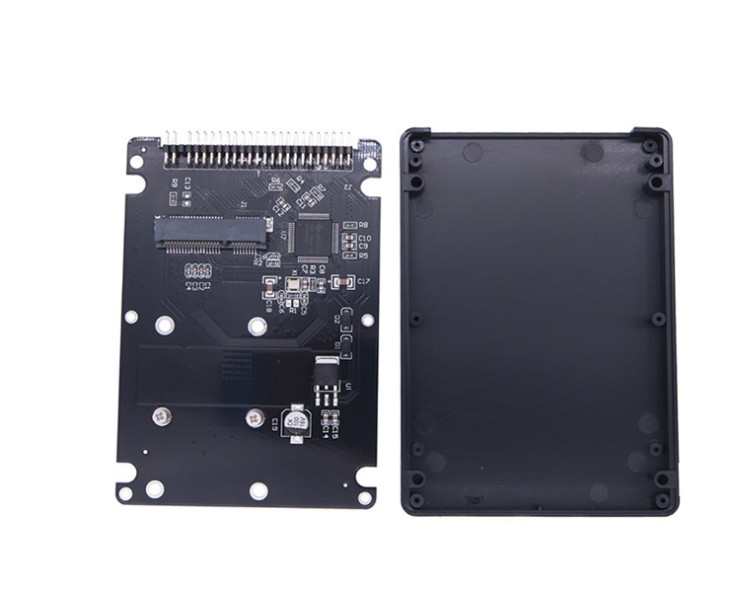
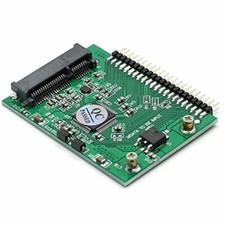
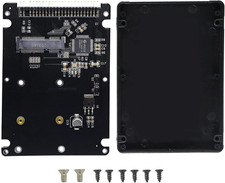
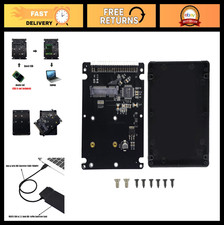
This adapter box is convenient for mini PCI-E SSD hard disk to convert into 2.5 IDE hard disk interface for use in 44 pin interface notebook of old notebook ide. After switching, the speed will be greatly improved, and it will be operated in IDE parallel port mode. It is not required to reach the speed of the standard interface of the SATA unless the use of the converted sataii interface box can reach the sataii interface speed; The computer uses the interface speed of the hard disk from small to large roughly arrange ide.
After testing that the box is loaded with SSD, it will not limit the speed of original SSDs (there are certain differences in the speed used on different computer interfaces), which is absolutely good news for friends who want to upgrade SSD.
The external dimension after installation is the same as that of 2.5-inch mechanical hard disk or SSD solid state hard disk box and the fixed screw hole position. The main shell is plastic, anti-wear and high temperature resistant, light and handy, plug and play products, without any drive, and can also be used as high-speed 2.5 inch IDE and SATA interface hard disk on the computer; This product uses the internal conversion card to transform the msata solid state hard disk into IDE interface for use on the old computer.
In short, after receiving the box, you can go to the laptop or on the desktop. This SSD box is a good choice to upgrade the ordinary hard disk to solid state hard disk
Note: only support the definition of SSD in the mini PCI interface, test the shipment and deliver 100% OK! If you can't use it, it is definitely that the interface definition is wrong or other reasons (for example, some machines do not support SSD or pick-up). Whether SSD can be recognized is closely related to BIOS of the computer. That is, the so-called compatibility problem. Our store only sells the adapter card, and does not provide technical consultation, and does not guarantee that your SSD can be fully compatible with your computer, Pay attention to the risk before shooting!
be careful:
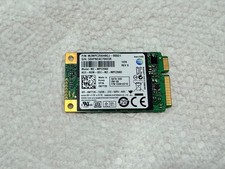
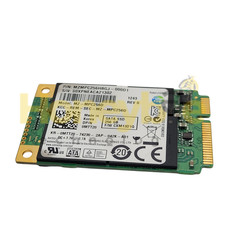
1: This product only supports the 5 cm or 7cm solid state hard disk defined by the msata interface in mini pci-e. the msata is not equal to 1.8 Inch micro SATA, and does not support the solid-state hard disk defined by the SATA Mini PCI interface in mini PCI-E, and the card will be burned by mistake
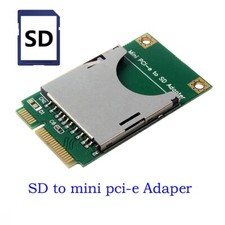
2: There are three pin definitions for mini PCI-E interface, one is called msata, which is often found on Lenovo and thinpad machines, and can also be called Intel definition interface; The other is called SATA Mini PCI-E, which is often found in ASUS' EPC and some tablet computers, and also called ASUS definition interface; Another is defined by PATA, which is essentially IDE interface, which is mostly found on Dell Mini 9 and other machines. The appearance of the three interface definitions is exactly the same and cannot be distinguished by the naked eye, so please be sure to distinguish the interface definitions of your SSD!
3: Besides the pin defined partition, the solid state hard disk of mini PCI-E interface has the distinction of length: A: half height, length 2.7 cm; b: Full height, length 5 cm; c: Length 7 cm, our shop hair is full height 5 cm length! Please note that!
4. When the adapter card is equipped with solid-state hard disk, please pay attention to the power consumption of msata interface solid state hard disk. It is not that the faster the solid-state hard disk is, the faster the speed is after the transition to IDE, because the IDE interface itself is the bottleneck of speed, no matter how fast you originally used to SSD, the speed after transfer out is the same; Instead, you have to consider the power consumption problem. Many high-speed hard disks have a considerable power consumption. After you turn to IDE, your original machine can not be moved, because you used to use hundreds of Ma of power on the mechanical hard disk. When the computer is designed, the power supply part of the hard disk can meet more than 1000 Ma at most. If the high-power SSD is adopted, it will be seriously unrecognized (insufficient power supply, unable to start), Or there are problems that can be identified, but the system is blue screen, dead machine, and cannot be formatted. Therefore, we suggest that you choose SSD with power consumption less than 1000 Ma and the adapter card is the safest.
5: With the different arrival batch, the color of the shell and the PCB board style inside may be changed, but the function can be kept unchanged. If there is any change to our store, we will not notice, all the matter shall prevail!
6: Most of the machines with this interface are very old chipsets. Microsoft expressly stipulates that win7 does not support chipsets below 945, so crazy solid state hard disk does not support you to install win7, because it is difficult to enable AHCI because the drive is difficult to open. If you must install win7, you will have a button. Don't think XP can not open trim now. Now there are trim software under XP, Please search for and download by yourself. We can't answer specific technical questions. I just sell hard disk, not everything.
7: The hard disk machine with IDE interface is generally relatively old, some too old machines do not support solid state hard disk only support mechanical hard disk, so there are compatibility problems, we can not guarantee 100% of your machine can be used; Another problem is the compatibility between the adapter board and your solid-state hard disk. When choosing solid-state hard disk for the adapter board, try to choose a better international brand, try not to choose the Shanzhai brand, try to choose the SSD with low power consumption as far as possible, because the rated current of SSD of some sata3 is close to 2a, but the current of your mechanical hard disk will not exceed 1A generally, The power supply capacity of your machine must also be considered. The SSD with high power consumption will not be recognized when it is not moving or unstable after identification.
8: IBM X31 X32 T41 t42t43 and R4X, r5x, r6x are inserted side by side. When inserting the hard disk, please try to insert the hard disk against the edge of the palm support (that is, when inserting the hard disk, press and hold the side close to the optical drive and press it to the outside force and push it into the hard disk bin in parallel). After all, it is DIY, and the position is slightly deviated
Quantity: 1pcs