 When you click on links to various merchants on this site and make a purchase, this can result in this site earning a commission. Affiliate programs and affiliations include, but are not limited to, the eBay Partner Network. When you click on links to various merchants on this site and make a purchase, this can result in this site earning a commission. Affiliate programs and affiliations include, but are not limited to, the eBay Partner Network.
You may also like Black Velvet Bracelet Chain Necklace Gift Box Case Jewelry Display Mother's Day 9.65 USD
10.49 USD 9.99 USD 8%
offGood Compatibility 795120 Air Cleaner Cover Fits for Briggs and Stratton Replace 17.47 USD 9.99 USD Carburetor Trimmer Weedeater Parts For Echo SRM-225 GT 225 SHC225 PPF225 26.85 USD
29.19 USD 8%
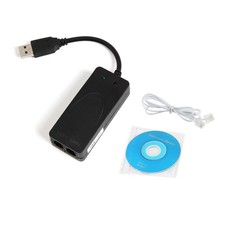
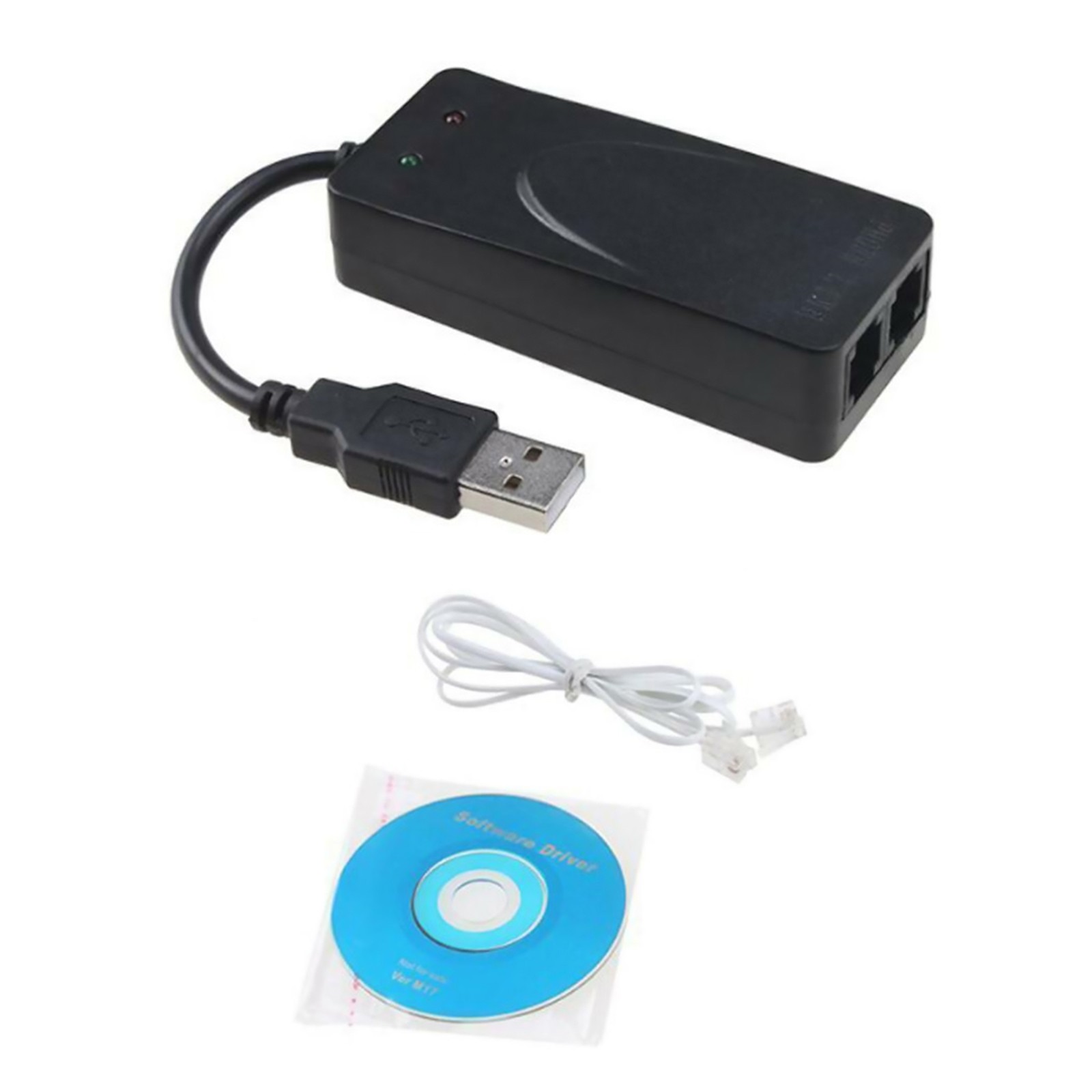
offRC Airplane Plane Brushed Motor ESC Low Voltage Protection For Hobbywing Eagle A 14.33 USD 0.25-degree 0.5-degree 1-degree taper Neck Shims for Guitar, Shaped, Set of 3 g 12.87 USD 9.99 USD 1pc 4K HDMI Switch Splitter 3 Port Switcher Hub IR Remote HDTV 3 In 1 Out 14.15 USD New Dual RJ11 Ports USB 56K External Dial Up Voice Fax Data Modem Win 7/8/10
Features:
It is not have voice function and cannot make or receive calls.
Receive faxes, send faxes and dial up to the Internet (speed is only 56K), do not support dialing.
Supports For Windows Win7/Win8/Win 10
Protection circuit fast lightning protection circuit to enhance its anti-lightning function
Please note: it is just a Fax Data Model adapter .
Installation method:
1. Connect the modem: Connect the modem to the computer's USB port, and plug the telephone line to the other end of the modem. If you need to connect the telephone, you can connect the external line to the telephone, and then connect a line from the telephone extension port to the modem.
2. Install the driver: Put the driver CD into the CD-ROM drive, the computer prompts to find the new hardware after plugging in the cat-select manual installation-click Browse, select the cx-fu02/winxp folder on the CD (win7 system will automatically install the driver normally, no manual required installation). After the driver is installed, open the control panel-there will be a modem named usb data fax voice modem in the telephone modem option.
3. Install the fax software (take the fax software that comes with the system as an example): win7 just need to double-click the FAX printer-tools-fax printer configuration-device in the control panel-printer fax, and allow sending and receiving.
Package include:
1* Dual RJ11 Ports USB 56K Fax Data Modem- Shipping
- Returns
- Contact Us
3. Processing Time: Around 1-2 business Days
4. Shipping Time: 3-5 business day
it may have a little delay during some holiday (such as Christmas),any problem ,please feel free to contact
Pls contact us if you have any problems,we will try our best to solve for you
We accept all verified payment from .Shipping
3. Processing Time: Around 1-2 business Days
4. Shipping Time: 3-5 business day
it may have a little delay during some holiday (such as Christmas),any problem ,please feel free to contact
Returns
Contact UsPls contact us if you have any problems,we will try our best to solve for you
PaymentWe accept all verified payment from . powered by

|
|