When you click on links to various merchants on this site and make a purchase, this can result in this site earning a commission. Affiliate programs and affiliations include, but are not limited to, the eBay Partner Network. When you click on links to various merchants on this site and make a purchase, this can result in this site earning a commission. Affiliate programs and affiliations include, but are not limited to, the eBay Partner Network.
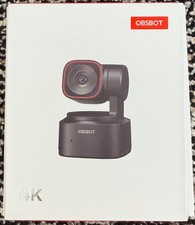
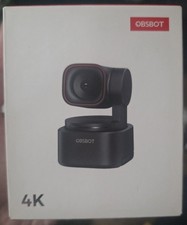
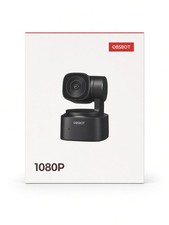
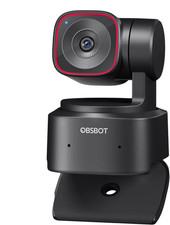
Stay Pro, Stay Productive<bR>Maintaining the best-in-class image quality, OBSBOT Tiny 2 Lite has now arrived with a worthy price, industry-advanced AI features, and the brand new productive Preset Modes. Experience a seamless journey in your video calls in portrait or landscape with Tiny 2 Lite; your workflow will be professional and productive like never before.<bR>Productive Intelligent Features: Efficient, Excellent, Artificial Tracking with Auto Zoom</B><bR>After generations of polishing OBSBOT's deep neural learning network algorithm, Tiny 2 Lite can now track you in real-time with better framing and appropriate automatic zoom effects. This frees up your hands while adjusting the zoom as desired.<bR><bR>More Accurate Body part Tracking<bR>For Tiny 2 Lite, the body part tracking focuses on upper body, close-up, lower body and headless. The iterative algorithms in this version offer improved accuracy and smoothness during tracking.<bR><bR> Upper Body Tracking<bR> Close-up Tracking<bR> Lower Body Tracking<bR> Headless Tracking<bR><bR>Frame with Customizable Composition LineElevate your framing with the customizable composition line in OBSBOT Center. After activating AI Tracking, easily adjust the line to reposition your subject within the frame. This feature allows for dynamic shot compositions beyond traditional center-framing, empowering you to create visually engaging content effortlessly.<bR><bR>Show Your Craft by Hand Tracking<bR>Tiny 2 Lite's Hand Tracking feature precisely captures movements of both hands within a defined area. This enables clear demonstrations of techniques for artists, crafters, and instructors, enhancing tutorial quality and viewer engagement.<bR><bR>Be Productive with Preset Modes<bR>With the brand new Preset Modes on Tiny 2 Lite, you can now preset the PTZ position and many more parameters! Features like tracking mode, image settings, and Bokeh can be set in advance to enhance your workflow's Your Flow with Zone Range<bR>Tiny 2 Lite can define 4 gimbal angles to limit the Tracking Zone. When detects someone entering the zone, it will turn on AI Tracking with Auto Zoom. When the target goes out of the shooting range, Tiny 2 Lite will return to the default initial shooting angle, which is suitable for live show, performance and live streaming.<bR>AI Tracking of New Target<bR>Turn on AI Tracking of new target, when the initial tracked target leaves the tracking range and a new target enters the tracking range, Tiny 2 Lite will track the new target automatically without extra operation.Non-tracking Area<bR>Tiny 2 Lite allows you to set up to three non-tracking areas. When you enter one of these areas, the camera will maintain a fixed frame of that zone. Once it detects you've left the non-tracking area, Tiny 2 Lite will resume tracking you Efficient Gesture Control 2.0<bR>Use Gesture Control 2.0 to streamline your workflow even from a distance. Three gestures are available for activating AI Tracking and adjusting the Zoom in/out Video Image: New Webcam Image Standard Settled<bR>Premium 4K Experience. Budget-Friendly Price<bR>Capture stunning moments in UHD 4K resolution. With up to 4K@30fps and 1080P@60fps, Tiny 2 Lite is an excellent budget choice for capturing vivid details and memorable moments in your everyday life!<bR><B>Precise, Deft Auto Focus</B>Tiny 2 Lite utilizes the advanced PDAF (Phase Detection Auto Focus) technology. This allows for a deft and accurate focus process by swiftly detecting the phase and moving the lens immediately to the focus point.<bR><B>Reliable CMOS for Better Low Light Performance</B>Tiny 2 Lite's advanced 1/2" CMOS sensor gains amazing image signals and enables an obvious leap in image quality, offering reliable bright-light performance with HDR and low-light performance powered by optimized algorithm.<bR><B>Your Voice, Focused and Super-clear</B>Tiny 2 Lite equips a dual-omnidirectional microphone with three intensities of adjustable noise cancellation. It fits various scenarios for achieving a sound-image synchronized video call experience, as well as a human voice augmentation technology which maintains high-quality sound transmission even in noisy Video Calls Experiences: Smarten Workflow with Tiny 2 Lite</B><bR>An Imaginative Tool with Creative Shooting Modes<bR>Rich shooting modes light up your creativity. From shooting in landscape or portrait mode to shooting from an upside-down position, Tiny 2 Lite 1/4'' interface gives you the greatest support. Wherever you choose to install it, it ensures clear and pixel-perfect video images.<bR><bR><B>Get Your Video Call Pro and ProtectedTiny 2 Lite protects your video capture with Sleep Mode 2.0 and other built-in features. In sleep mode, you can select a static image as a shield against leaks.<bR> Manually Enter the Sleep Mode Device Auto SleepSimpler. Lighter. Built-in Stand<bR>Following the design of OBSBOT Tiny 2, the Tiny 2 Lite also embraces minimalism and practicality. With a built-in stand and 2-axis gimbal, your video call experience will be stable for you to unleash more possibilities.Smart Control at Your FingertipsTiny Smart Remote 2 combines the features of a remote and presentation clicker. It can be one key to activate AI Tracking modes, Preset Position, PTZ Control, and more features.<bR>Tiny 2 Lite supports the O-type Laser Close-up. When Tiny 2 Lite detects the laser, it will zoom up the content by double-clicking the button on the Tiny Smart Remote 2, making your speech easier.<bR><bR>Stream Deck + Tiny 2 Lite=Smooth Workflow<bR>The Tiny 2 Lite is compatible with the Elgato Stream Deck, a production console that enhances the control smoothness of the Tiny 2 Lite without the need for an extra app.<bR><bR><B>Always Get Ready by Beauty Mode</B>Beauty Mode has a variety of beauty effects to make you ready in one click, so no more worries about sudden video for Attention and Blur can make your audience only focus on you. Meanwhile, you can shoot at anywhere and protect your privacy.<bR>Expand Potential with OBSBOT Center<bR>As one of the most productive control panels in the OBSBOT family, the inner potential of Tiny 2 Lite can be greatly expanded by OBSBOT Center with PTZ control, Beauty Mode, Preset Modes setups, and more features to explore.<bR><bR>Create OBSBOT Multi-Cam SetupOBSBOT Center enables the control of 4 OBSBOT devices, allowing you to easily set up a streaming and content creation hub to fulfill the shooting scene from multiple angles.Works with Mainstream SoftwareAfter connecting to your device, Tiny 2 Lite runs seamlessly with major live streaming and online meeting platforms, giving you an easy way to start communicating and sharing ideas online.<bR><B>- Remote Controller -</B>Designed for OBSBOT Tiny 2, an incredible upgrade of the OBSBOT Tiny remote controller, now added new smart features to the remote control. A fusion of a presentation clicker and webcam remote controller, controls the camera and presents with just one controller.<bR><bR>Elegant Design<bR>Specially designed for the OBSBOT Tiny series, with intuitional buttons and elegant design, offer you a more pleasant and convenient usage.<bR><bR>Activate AI Features with A Push<bR>Embedded more AI features into the remote controller, now you can easily control the OBSBOT Tiny 2 to enter Close-up mode, Desk Mode, and other AI of a Remote Control and a Presentation Clicker<bR>Not just for remotely controlling the OBSBOT Tiny 2, we combined the feature of a presentation clicker with the remote, now you can use the remote control to better present your idea.<bR><bR><B>Note: </B>Some keys on the remote controller will not work with OBSBOT Tiny 4K and OBSBOT Tiny, since the features that control by those keys aren't integrated to the OBSBOT Tiny 4K and OBSBOT Tiny.<bR><bR> Close-up<bR> Hand<bR> Laser-Whiteboard<bR> Desk Mode  |
|