🎨 Product Description
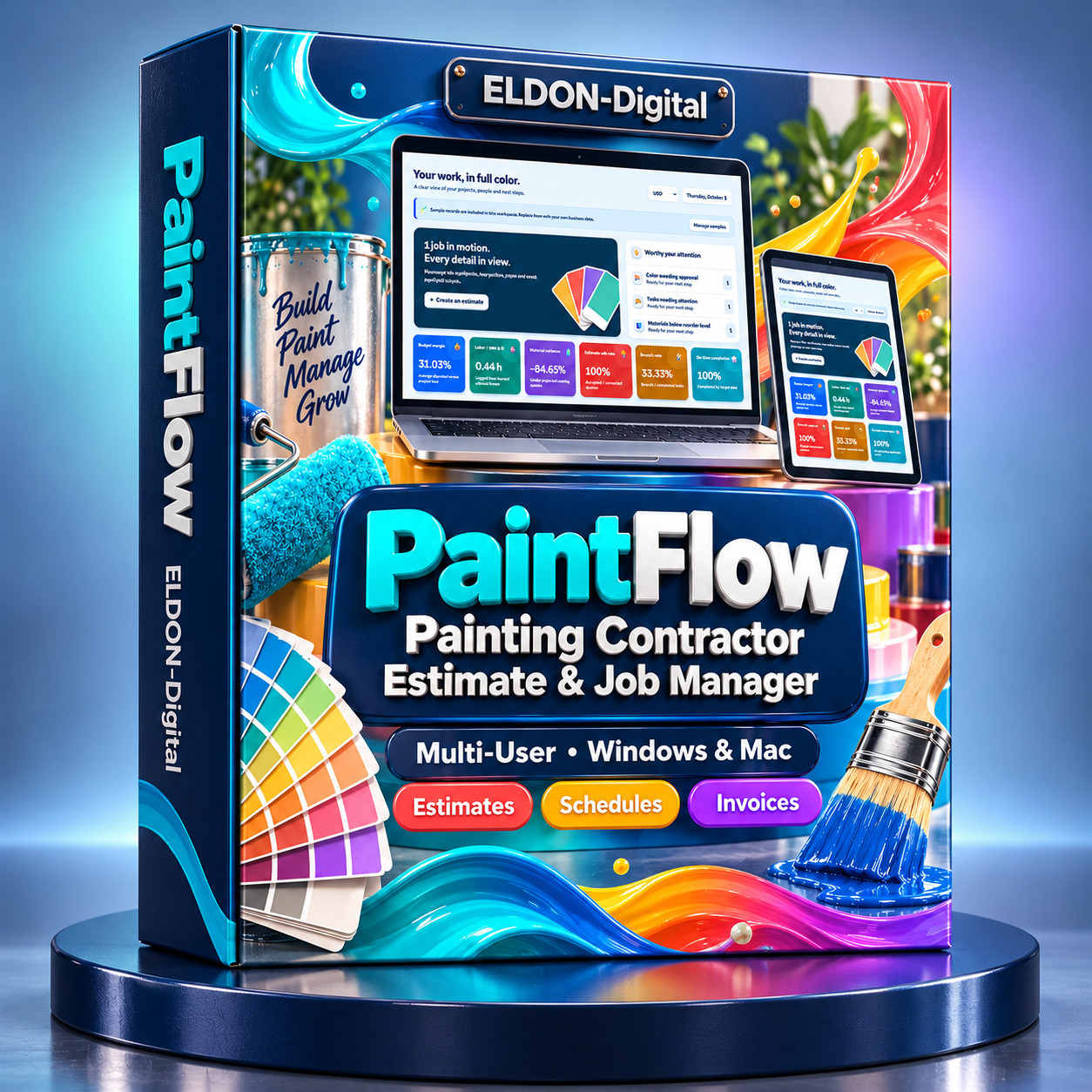
Organize your painting business with PaintFlow, acolorful, multi-user painting contractor estimate and job managementapplication supplied on a physical USB flash card.
Manage customers, properties, rooms, surface measurements,colors, estimates, crews, schedules, materials, change orders, and invoices inone connected workspace.
Designed for independent painters, painting crews, andgrowing contractor businesses, PaintFlow helps you keep project informationorganized from the first measurement through the final touch-up.
💾 Software Supplied on aUSB Flash Card
Your USB flash card contains the PaintFlow application filesfor Windows and Mac, launch files, supporting documentation, and an illustratedPDF user guide.
Copy the application folder to your host computer, launchthe appropriate version, and open your workspace through a modern browser.
PaintFlow does not require users to install Python, Node.js,or another programming runtime.
👥 Multi-User Access forYour Team
PaintFlow supports multiple user accounts withadministrator-controlled permissions.
Run the application on one Windows or Mac host computer,then allow authorized team members to connect from computers, tablets, andphones on the same Wi-Fi or local network.
Administrators can:
- Create and manage user accounts
- Grant access to individual modules
- Control viewing, creating, editing, deleting, and exporting permissions
- Assign permissions using clear checkboxes
User account administration is restricted to administrators.Other users can access their own profiles and change their own passwords.
The host computer must remain running while other devicesuse the shared workspace.
🏠 Organize Customers,Properties, and Painting Jobs
Keep customer contact information, properties, projects,rooms, and surfaces in connected records.
Search your information, open individual records, andmaintain a clear reference for each job as it moves through estimating,scheduling, application, and billing.
📏 Create Room-BasedEstimates
Build estimates using measurements, coverage assumptions,and pricing inputs you control.
Record surface dimensions, account for openings, specifycoat counts, and calculate planned coating quantities.
The estimating workflow supports:
- Room and surface measurements
- Surface takeoffs
- Coat counts
- Editable coverage rates
- Waste allowances
- Preparation and application labor
- Material and labor budgets
Record product information sources alongside coverage ratesto keep your estimating assumptions traceable.
🎨 Manage Colors,Coatings, and Approval Records
Keep color names, color codes, sheen, coating products, andcustomer approval details together.
Track selections that are pending, approved, or needchanges. Record approval names and dates so your team has a clear referencebefore work begins.
Digital color previews support your records. Physicalsamples should be used to confirm the intended finish with your customer.
🧰 Track Preparation,Application, and Touch-Ups
Create tasks for surface preparation, painting, qualitychecks, and rework.
Record due dates, update task statuses, and enter budgetedand actual labor hours. Keep outstanding work visible through final inspection.
Flag hazardous-material work for specialist review when aproject requires additional assessment.
👷 Coordinate Crews andSchedules
Plan crew assignments and upcoming visits with a sharedschedule.
Keep access instructions, visit details, and job notesavailable to authorized users. Overlapping-visit checks help identifyscheduling conflicts.
Calendar views and colorful charts provide a clear overviewof upcoming work and scheduled crew hours.
🪣 Plan Materials andRecord Purchases
Maintain a materials catalog and record purchasing costs andactual material usage by job.
Compare planned coating quantities with recorded consumptionto support purchasing decisions and review material variance.
💵 Manage Estimates,Change Orders, and Invoices
Keep your estimating and billing workflow connected:
- Prepare estimates for painting work
- Track estimate status
- Create invoices from accepted estimates
- Record and approve change orders
- Include eligible approved extras when creating invoices
- Record cumulative payments
- Review outstanding balances
PaintFlow records payment information for tracking purposes.Customer payments are processed outside the application.
📊 Review Job Performance
Use the dashboard and reporting pages to review informationfrom your saved records.
Performance indicators include:
- Budget margin per job
- Labor hours per measured area
- Material variance
- Estimate win rate
- Rework rate
- Completion punctuality
Colorful charts with dimensional styling make your recordedbusiness information easier to explore.
🌎 Multiple CurrencyOptions
Supported currencies include USD, CAD, EUR, GBP, AUD, NZD,AED, SAR, INR, ZAR, JPY, and CHF.
Financial records and reports remain organized by currency.The application does not automatically convert exchange rates.
🖨️ Print and ExportBusiness Documents
Add your business information and logo in Settings for useon PDF and Excel exports.
Export individual records or complete page registers.Single-record documents use portrait layouts, while full registers uselandscape layouts with organized column groups for wider tables.
Prepare documents such as:
- Estimates and invoices
- Room schedules
- Color approval sheets
- Material lists
- Crew task checklists
- Change orders
Available export formats include PDF, Excel / XLSX, andCSV.
PDF and Excel exports support your business identity. CSVfiles provide portable data for supported record types.
On the host computer, exports can open in the defaultviewer. Other devices receive files through their browser’s download behavior.
📧 Prepare CustomerCommunications
Use the Email Desk to prepare messages for quotes, colorapprovals, access instructions, schedule changes, completion notices, andtouch-up appointments.
Prepared messages open in your configured email applicationfor review and sending.
✨ Customize Your Workspace
Enjoy bold typography, colorful navigation, highlightedbuttons, multiple visual themes, and adjustable font sizes.
Responsive layouts support computers, tablets, and phones.
Explore the included sample records before entering yourbusiness information. When sample data is cleared, it stays removed afterrestarting unless you explicitly choose to reload it.
🎁 What You Receive
- A physical USB flash card containing the PaintFlow software package
- Windows and Mac application and launch files
- Desktop shortcut setup files and app artwork
- A comprehensive 44-page illustrated PDF user guide
- An audit report documenting checks and platform testing limitations
🚀 Getting Started
- Connect the USB flash card to your computer.
- Copy the PaintFlow application folder to your chosen location.
- Launch the Windows or Mac version.
- Enter your business information and logo.
- Create user accounts and assign permissions.
- Begin organizing your painting projects.
- Share the host computer’s local IP address with authorized team members on your network.
💻 What You Need
- A Windows or Mac host computer
- A compatible USB connection or adapter
- A modern web browser
- A shared Wi-Fi or local network for access from additional devices
- A configured email application to send prepared messages
🖌️ Give your paintingbusiness one organized place for measurements, colors, estimates, crews,materials, tasks, and invoices. PaintFlow brings your project informationtogether in a colorful workspace your authorized team members can share.