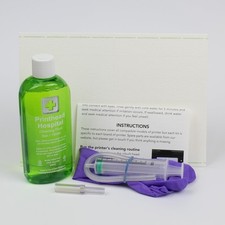
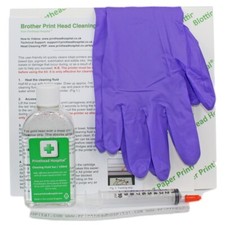
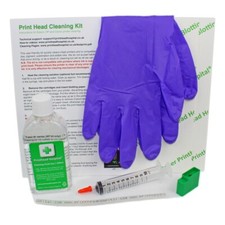
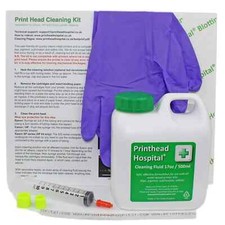
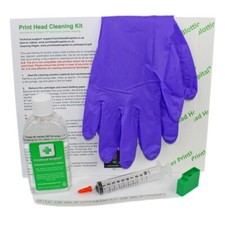
Printhead Hospital Printer Cleaning Kit for Epson Canon Brother and HP Printers - 500ml | Easy to use kit to Clear Printer nozzles
An effective and simple solution for blocked inkjet printers Compatible with all printers except professional wide-format printers or those using tank-based ink (Epson ecotank is fine).
Printer must be clear of any error messages before use Printhead blockages (seen as streaky, discoloured or absent print) are caused by leaving the printer turned off for too long (causing the ink to dry up) or allowing the ink to run low (allowing air to enter the printhead). Most of the time, this can be fixed by replacing the ink and running the printer’s inbuilt cleaning routine. If this doesn’t work, the cleaning kit allows you to flush out any air or dried ink from the head and restore print quality. Hints and tips Blockages are easier to fix if they’re caught early. For old or stubborn blockages, slide the head over a wad of paper towel, wet with 10ml fluid and leave for an hour or two to soften up before injection. This is a good cleaning method in itself and can be used on printers where injection is not possible. It’s quite common to get blank pages after cleaning. This is most likely due to air in the head so repeat the clean with 0.5ml fluid and run 2 self-clean cycles. It can also happen if the cartridges run low. Blockages are caused by leaving the printer powered off (so it’s unable to run maintenance cycles) and by running cartridges for too long after being prompted to replace them. Always keep your printer powered on; if you need to store for longer than 6 months consider switching to a laser printer. Use light pressure on the syringe. Increase the pressure if the blockage is difficult to clear, but remember that this risks breaking the seal inside the head and flooding the electronics. This is the most likely cause if your printer displays error messages or refuses to power on after cleaning and cannot be fixed. For this reason, try to catch blockages early.
Shipping
We offer FREE shipping on all domestic orders and on select international destinations (please refer to the shipping options section of the listing for full details).
Handling time is specified in the listing details at the top of the page.
We use a range of reliable carriers, including UPS, FedEx, and USPS, depending on the destination and service level.
Local pickup is not available at this time.
Combined shipping may be available for certain international orders.
Return
- You can return a product for up to 30 days from the date you purchased it.
- Any product you return must be in the same condition you received it and in the original packaging. Please keep the receipt.
response
Your satisfaction is our priority.
If you experience any issue with your order, please reach out to us directly. We will work promptly to resolve it to your satisfaction.
Contact Us
If you have any queries, please contact us via . We usually respond within 24 hours on weekdays.
Please visit our store to check out other items for sale!
Thank you for shopping at our store.