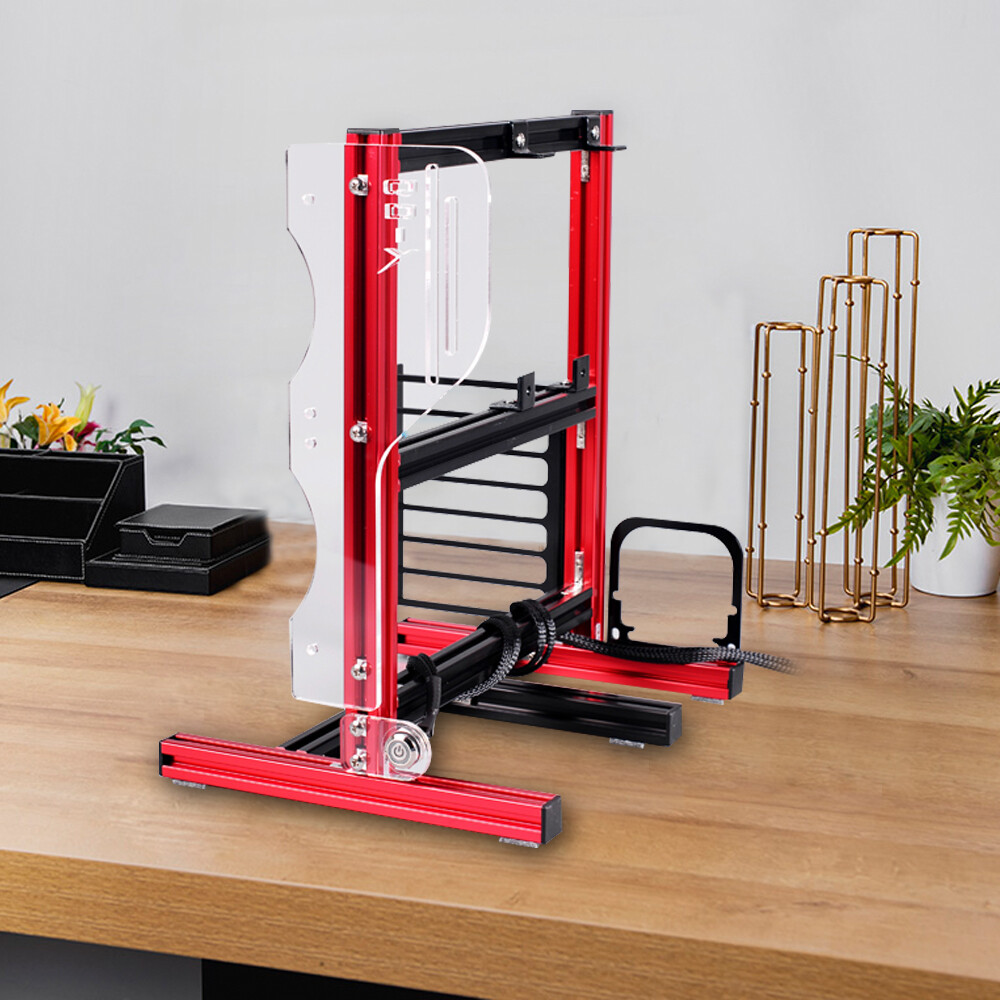
Red PC Open-Air Test Bench Frame — ITX / M-ATX / ATX (20×20 Aluminum + Acrylic)
A compact, open-air bench frame that makes building, testing and showcasing desktop systems simple — fast heat dissipation, easy access, and a modern red + acrylic aesthetic. 🔧
Key Features
- Open-frame design: Fully exposed layout for faster heat dissipation and quick component access.
- Sturdy construction: 20×20 aluminum profile with thick acrylic accessories for durability and a modern look.
- Flexible motherboard support: Fits ITX (17×17 cm / 6.7×6.7 in), M-ATX and ATX boards.
- Power & expansion: Supports ATX standard power supplies and seven PCI expansion slots.
- Storage & cooling bays: Two fan bays, one 3.5" bay (8.89 cm / 3.5 in) and one 2.5" bay (6.35 cm / 2.5 in).
- Easy assembly: DIY build with included hardware and a metal start/restart switch. 🛠️
This open-air chassis provides a no-frills platform for building, testing, or showing off a desktop system. The exposed layout helps move heat away from components more quickly than closed cases, making it suitable for bench testing, water-cooling setups, or displaying RGB components. The red accents and transparent acrylic panels create a clean, tech-forward look that fits on or under a desk while taking minimal space.
The aluminum profile and screw-secured assembly keep the frame stable during frequent component swaps. Designed for straightforward installation and easy access to every part of your build.
SpecificationsColorRedChassis material20×20 aluminum profile; acrylic accessoriesChassis styleBare metal open-frameApplicable motherboardITX (17×17 cm / 6.7×6.7 in), M-ATX, ATX (up to 305×244 mm)Power supplyATX standard power supplyThermal performanceFull open-frame heat dissipationAssemblyDIY self-assemblyDrive positions1 × 8.89 cm / 3.5 in, 1 × 6.35 cm / 2.5 inPCI expansion slots7Switch interfaceStart / Restart switch and indicator (metal switch)Product size30×24.6×35.5 cm / 11.8×9.7×14 inWeight1.8 kg / 4 lbsPackage Included
- 3 × metal frames
- 2 × acrylic accessories
- 1 × pair of gloves
- 1 × metal switch
- 1 × screw kit
- All accessories needed for installation
Usage Tips
- Plan layout: Arrange components in advance to match the two fan bays and available PCI slots. 🔩
- Placement: Use on a stable surface to reduce dust exposure and avoid accidental knocks.
- Water-cooling: Secure pump/reservoir to the frame and route tubing cleanly to preserve airflow.
Care & Maintenance
- Wipe acrylic panels with a soft, lint-free cloth and mild cleaner to keep clarity. 🧼
- Check screws periodically after swapping components to keep the frame tight.
- Avoid prolonged direct sunlight to reduce the chance of discoloration.
Important Notes
Slight color variation and 1–3 cm measurement tolerance may occur due to manual measurement and photography. Please refer to the listed specifications before purchase.
Shipping & Support
Customer support is available for assembly or part questions — contact seller for details.
Ready to build? Add this compact open-air test bench to your cart and start your next build today! 🛒