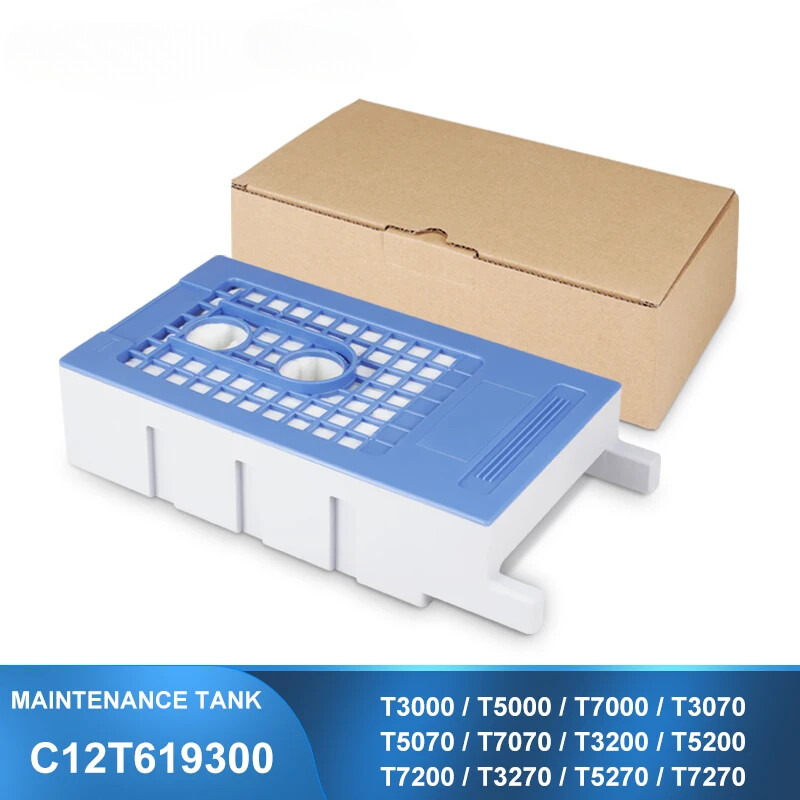
For Epson T619300 Replacement Ink Maintenance Tank (Non-original)
Ensure your large-format SureColor series printer will keep producing the high-quality prints you expect with this replacement T619300 Maintenance Tank from Epson.
chips together.
Product Instruction
Product Name : Maintenance Ink Tank / Waste Ink TankItem Name : Replacement Ink Maintenance Tank / Maintenance BoxOEM Part Number : T619300Chip Type : Installed the one time use chipFeature : 100% compatible for printer,same as the original maintenance tankCondition : Plug and PlayWarranty : 1:1 Replace Any Defective
Fits These Printer Models:
For Epson SureColor T3000 / T5000 / T7000For Epson SureColor T3070 / T5070 / T7070For Epson SureColor T3200 / T5200 / T7200For Epson SureColor T3270 / T5270 / T7270For Epson SureColor T3050 / T5050 / T7050For Epson SureColor T3080 / T5080 / T7080For Epson SureColor T3280 / T5280 / T7280For Epson SureColor F6000 / F6070 / F6080For Epson SureColor B6000 / B6070 / B6080For Epson SureColor B7000 / B7070 / B7080For Epson SureColor P10000 / P10080For Epson SureColor P20000 / P20080
How to Use
Replacing the maintenance tank
Some printers have one maintenance tank (on the right side),and some printers have two (one on either side).Replacement tanks all are available
from part number C13T619300.
Follow these steps to replace the tank:
1. Make sure the printer is not printing or performing any other operations(READY or PAPER OUT should appear on the LCD display).
2. If your printer has two maintenance tank, check the LCD display todetermine which tank needs to be replaced (left or right).
Important:Do not replace Maintenance Box while printing. Waste ink may leak.
3. Open the maintenance box cover.
4. Pull the Maintenance Box out.Lifting the Maintenance Box up releases the lock, and you can simply pull it straight out.
5. Install the new Maintenance Box.
Important:Do not touch the IC chip on the side of Maintenance Box.
6. Close the maintenance box cover.
Replacing the maintenance chip:
During the printing, maintenance ink tank show the ink level is use up ,then we can pull out themaintenance tank and replace
the chips.After replacing our replacement chip,you just need touse chip resetter to reset it when the ink level low.Easy operation
and saving printing costs.
Please follow these steps:
1.Pull out the maintenance tank from your printer,use aknife carefully to remove the old chip.
What's in Package
One piece T619300 maintenance tank