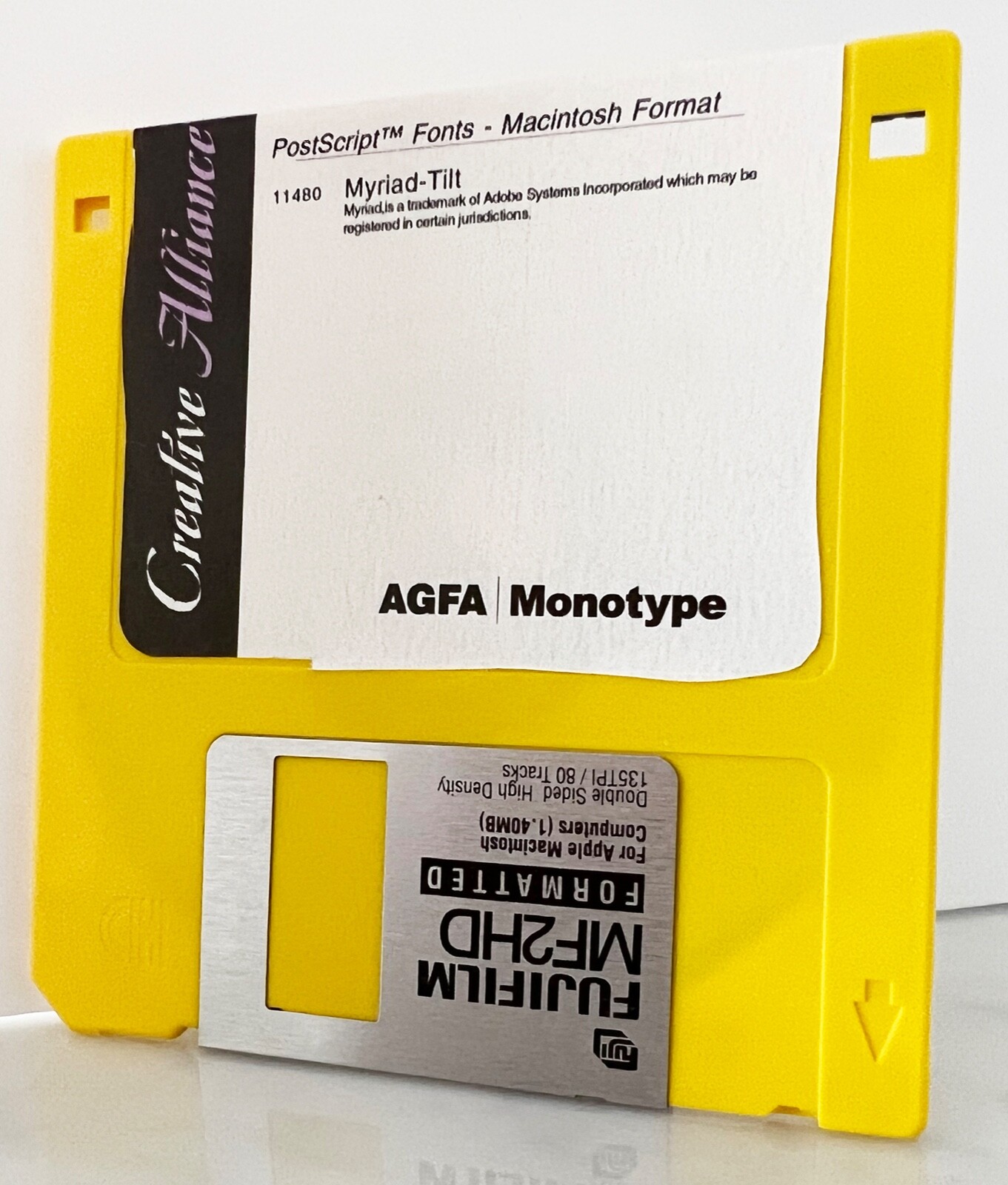
VINTAGE "FUN-FACE" Myriad-Tilt PostScript font Mac 3.5 floppy disc
What do you use Myriad for?Myriad is economic yet very legible, making it an ideal text face. Its distinct look also makes it a popular choice as a display font. Myriad is popular as a corporate font, Apple has been using it as such since 2001. Alternatives include Frutiger (which seems to have been its source of inspiration), Syntax and Humanist 77.
The history of MyriadRobert Slimbach and Carol Twombly designed Myriad for Adobe Systems in 1991. Originally it shipped as a Multiple Master font but in 2000 it was released as an OpenType font family, called Myriad Pro. Additional variants include Myriad Web which is optimized for on-screen use, various condensed and extended versions, as well as two ‘fun’ faces called Myriad Tilt and Myriad Sketch.
PostScript Type 1PostScript language font from The Font Company meet the latest specifications for PostScript Type 1 formats with advanced hinting. Your font package includes the diskette(s) that holds your font data and font utilities. You must have System/Finder set 6.02 (or later) and Font/DA Mover 3.8 (for System 6 users) to successfully install your new fonts. A font utilities such as Suitcase or MasterJuggler can also be used. A copy of Font/DA Mover 4.1 is in your utilities folder on your font disc. If you need a newer System/Finder, obtain it from your Apple dealer.
PostScript fonts consist of two parts; a screen font (also known as a bitmap font) and a printer font (also known as an outline font) although the screen and printer fonts must be installed separately they are related. When you select a certain font size on screen the Macintosh looks to see if that size is installed in the System. If it is, the screen font is drawn on the screen. The Macintosh is then directed to the associated printer font when you print that character. If you have Adobe Type Manager (ATM) installed and you do not have an install bitmap for a specific size, the bitmap font is generated automatically by ATM from the same font that is used for printing. The installation procedure for PostScript Type 1 fonts is different for computers running under any version of System 6.0 and those running under System 7. Both installation procedures are included depending on which system software you are using.
We have also included Adobe Font Metrics (AFM) file with your PostScript font. This is a text file that contains character metric and kerning information and is used by some applications to determine character spacing. Most applications can retrieve metrics and kerning information from the screen font suitcase and do not need this file.Buyers are expected to do their own research in regard to the compatibility and hardware/software requirements for any item they are considering purchasing, as well as any necessary configurations needed for correct operation and system functionality. Only pictured items are included. Before you purchase this item, please make sure that you have verified compatibility with your system's manufacturer.
What is pictured is the exact item you will receive.All measurements though carefully taken should be considered approximate Please see and examine all pictures for details, they are considered part of the descriptionItems are sold “AS IS” and NO RETURNS unless otherwise listed with conditionsWe used recycled boxes to help keep shipping rates as low as possible, we will always try to use suitable boxes for your item, but may have company logos, writings, or markings.CHECK OUT OUR STORE, Burman's Basement, FOR MANY UNIQUE TREASURES, WE ARE HAPPY TO COMBINE SHIPPING WHEN POSSIBLE deprecated technology such as cassettes, videotapes, laserdiscs, and even CDs, are rarely in use, if at all. Enthusiasts might have a drive handy, however, even they are found at a loss when faced with technology that is not even supported by modern computers.
Floppy disks have been out of use since the mid 2000s, almost entirely. Prone to losing data and mechanical failure, not to mention an overall lack of storage capacity, they were replaced by hard drives, thumb or flash drives, and solid-state drives as the go-to solution for any kind of external storage.
Yet, passion for old technology drives people and some want to read and use floppy disk drives. Here is how you can do that today.
Today, floppy disks will not work with most modern computers, simply because the readers that existed years ago are no longer supported by modern operating systems. By that, the drivers are removed and most modern systems do not support old floppy readers.
Floppies on MacsUsers who run Macs up to 10.14 Mojave, are in luck. The drivers for 3.5” floppy drives are present. This means support for internal drives and no additional hassle. Newer macOSs are problematic as they have no support for any type of floppy disk.