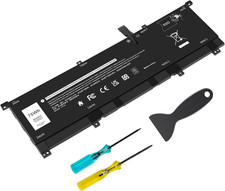
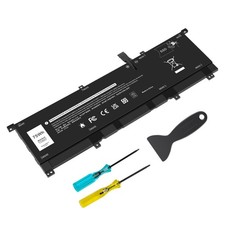
- 【SPECIFICATION】Item Name: 8N0T7 Battery for Dell XPS; Capacity: 11.4V 75Wh 6254mAh 6-Cell; Battery Type: Li-ion.
- 【Compatible Part Number】8N0T7 08N0T7 TMFYT 0TMFYT D69V4.
- 【100% Brand New From Manufacturer】Grade A cells ensure fast charges and low power consumption; Built-in circuit protection ensures both safety and stability. Up to 500 recharge cycles over the life of the battery.
- 【SECURITY】All batteries are equipped with CE, FCC, RoHS certificated and intelligent detection, such as short circuit protection, over voltage protection, discharge protection, over current protection
- 【Tip】Discharge the new battery to 5% (not 0%), then charge and cycle 3-4 times to wake up the new battery. Any questions you can contact with us, we will respond within 24 hours.
Battery Specification:
Battery Type: Rechargeable Li-ion Battery
Model: 8N0T7
Voltage: 11.4V
Capacity: 75Wh 6254mAh
Connector: Please refer to the picture and check it.
Certificate: CE,RoHS,FCC,100% New from Manufacturer, Grade A Cell
Replacement for Part Number:
8N0T7 08N0T7 TMFYT 0TMFYT
Compatible Laptop Models(Use "Ctrl+F” to find your model quickly)
Dell XPS 15 9575 Series
Dell XPS 15 9575 2-in-1 Series
XPS 15-9575-D1605TS / XPS 15-9575-D1805TS
XPS 15-9575-D2605TS / XPS 15-9575-D2601TS
XPS 15-9575-D2805TS / XPS 15-9575-D2801TS
XPS 15 9575 i5-8305G / XPS 15 9575 i7-8705G
Dell Precision 5530 2-in-1 Series
P73F P73F001
How to purchase the correct battery?
1. You have to find your specific laptop model before ordering the correct battery. How to check your laptop model?
(1. Press "Windows + R" 2. Type "msinfo32", then click OK 3. Find "System Model" in the pop-up window)
2. Take the battery out of your computer and see the model of your battery. Then search the model on amazon.