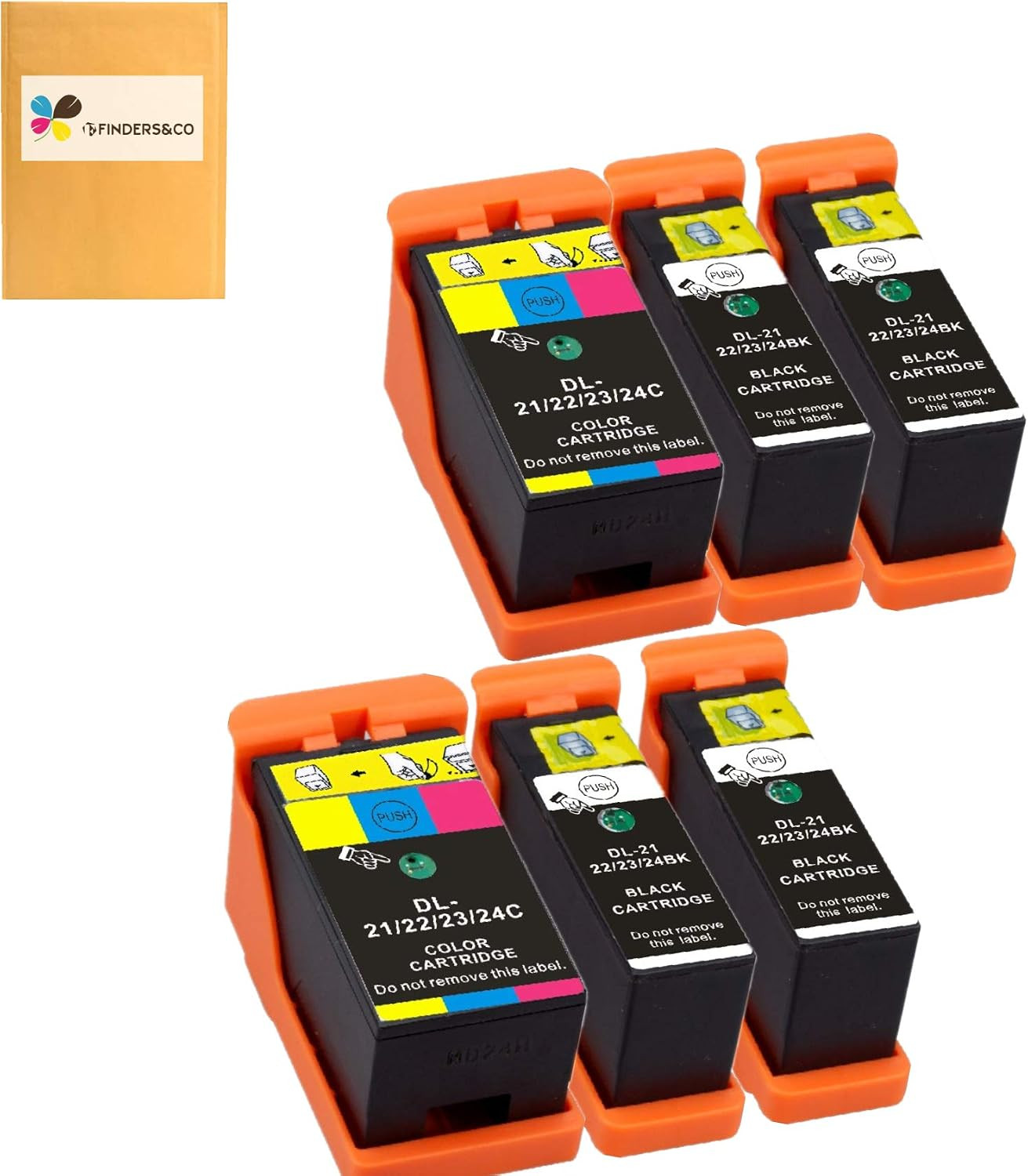
Product description F FINDERS&CO Compatible Dell Series 21 22 23 24 Ink (4BK+2CL) Saving money on compatible ink doesn't mean compromising on quality.
Print crisp, sharp, long-lasting black text documents with the Finders&Co compatible Dell 21 22 23 24 Ink Cartridges
WHY CHOOSE US? Strict quality control
Our Dell Series 21 22 23 24 Ink Cartridges for Dell V515w V715w Printer are manufactured in ISO9001, ISO14001, SGS and CE certified facility.
Lastest chip
Benefit from our smart chip with ease to track ink levels in your printer to AVOID running out of ink cartridges or annoying alert messages
Print more pages
Filled with maximum ink cartridge capacity, it is high-value option for high-volume printing. In addition, using a high yield can reduce your costs dramatically.
Excellent printing results
Allows you to print true-to-life photos and images and laser-quality text which withstand fading for decades. Built to meet or exceed OEM specifications
Compatible Dell V515w, V715w, V313w Ink Cartridges Compatible with Dell Series 21 22 23 24 Application: Office & Home & School & Bank
Delivers high-quality printing
Please confirm your printer model before placing an order!
Compatible with:
- Dell V313 ; Dell V313w
- Dell V515w ; Dell P513w
- Dell P713w ; Dell V715w
Pages Yield
Each Black approximately print 500 pages. @5% coverage (Letter/A4)
Product Feature:
- Smart technology with ink level indicator
- Brilliant print quality
- Design to meet or even exceed OEM specifications
- Customers first
Installing Guide 1 Remove the individual package outside of the ink cartridge. 2 Remove the Yellow Label from the top cover carefully. 3 Take off the protective nozzle cap. Do not touch the chip. 4 Tear off the protective nozzle membrane if any. 5 Install the cartridge into printer slot. 6 Press ok to bypass any messages from the printer. Trouble-shooting "NO INK" or "NON-ORIGINAL" If your printer prompts "NO INK" or "Non-Original", please click “Start” or “OK”. This is normal for compatible cartridges. "X" "!" If the cartridge was unrecognized, please repeat remove the cartridge and load until recognized. "EMPTY" After installing, if the ink level monitor on the printer reads empty, please reinstall the cartridge. It may take a few attempts. Cartridge performance is unaffected even without ink level monitor. "ERROR" If the cartridge give you an error message, please remove the cartridge and turn off the printer for about 30 seconds. Then turn on and re-install our cartridges.
Deliver Vivid and Colorful image!
- Package Contents: 4x DELL 21 Black, 2x Dell 21 Color. Non-OEM. *NOTE*: PLEASE IGNORE PROMPTS TO UPDATE FIRMWARE/SOFTWARE TO ENSURE THESE CARTRIDGES ARE NOT REJECTED BY YOUR PRINTER.
- Page Yield: Each Dell Series 21/22/23/24 Black approximately prints 500 pages; each Dell Series 21/22/23/24 Color approximately prints 400 pages (at 5% coverage Letter/A4).
- 100% Compatible Dell Printers: Dell V313, Dell V313w, Dell V515w, Dell P513w, Dell P713w, Dell V715w
- Easy to Install with a Instruction Manuel in Package: Each cartridge is packed individually for easy replacement and storage. You can replace a individual ink by just 3 steps: Remove the Yellow Label from the top cover carefully >> Take off the protective nozzle cap >> Tear off the protective nozzle membrane if any
- Superior Quality: Our DELL 21/22/23/24 compatible Ink Cartridges are certified under ISO 9001, ISO 14001, CE, RoHS, REACH, SGS, GMC,etc. All ink cartridges are engineered to produce amazing printouts with rich colors.
- 100% Compatible Dell Printers: Dell V313, Dell V313w, Dell V515w, Dell P513w, Dell P713w, Dell V715w printers