🖼️ Product Description
⚡ Product Highlights Blazing PCIe 4.0 Speeds
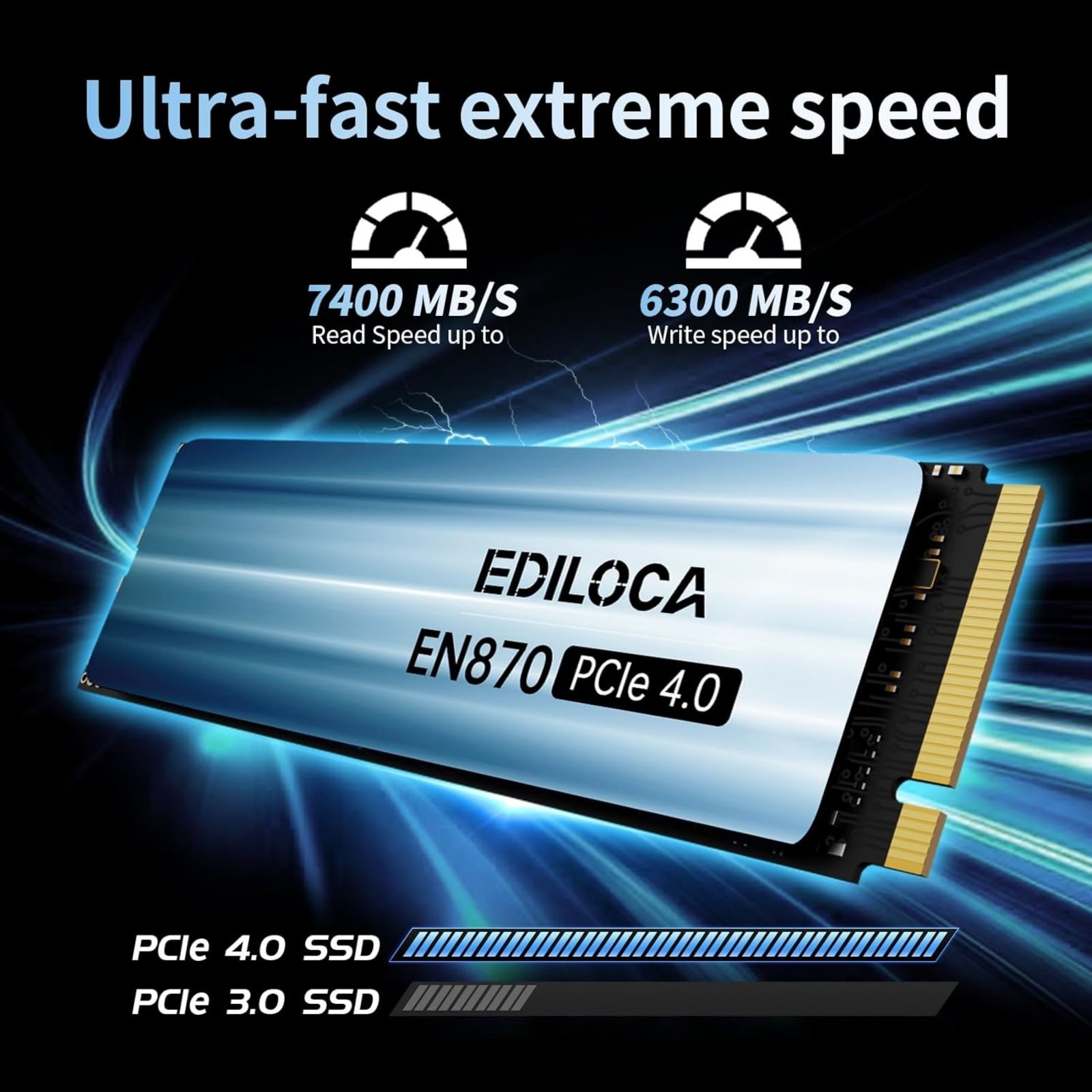
This product delivers exceptional sequential read speeds of up to 7400 MB/s and write speeds of up to 6300 MB/s. It fully exploits the potential of the PCIe Gen4x4 interface, approximately doubling the speed of PCIe 3.0 drives while still maintaining backward compatibility. Intelligent Thermal Efficiency
It features a high - conductivity graphite thermal pad, along with Auto - adaptive Temperature Control and power management. This combination effectively dissipates heat, sustains peak read speeds even under heavy loads (such as when used intensively with a PS5), and reduces overall power consumption. Enhanced Speed & Stability with HMB & SLC Cache
By using Host Memory Buffer (HMB) technology to utilize system RAM for faster FTL mapping and incorporating Dynamic SLC Caching, this product accelerates boot times, application and game loading, and multitasking. It also ensures sustained write performance and drive stability during bursts of activity. Reliable Performance & Endurance
Constructed with rigorously tested original 3D TLC NAND flash particles and the MAP1602 PCIe 4.0 controller, it guarantees stable data transfer and long - lasting operation. It offers high terabytes written (TBW) endurance ratings (up to 8000 TBW for the 4TB model), supported by advanced features like wear leveling and over - provisioning. Wide Compatibility & Enterprise - grade Features
The product is compatible with a variety of environments, including Windows (7/8/10/11), Linux, and PlayStation 5 (PS5). It incorporates essential data management and security technologies such as TRIM, S.M.A.R.T. monitoring, AES - 256 encryption, and bad block management, providing reliability and peace of mind. 📝 Product Specifications Brand Ediloca Interface NVMe PCIe Gen 4x4
Form Factor M.2 2280
Capacity Options 1TB / 2TB/4TB Max Read Speed 7400MB/s Max Write Speed 6300MB/s Dimensions 80mm(L)x22mm(W)x3.2mm(H) Compatibility PS5,Desktop, Laptop, Mac,PC,Memory Vault
📦 What's Included
- PCIE 4.0 SSD
- User Manual
- Packaging
❓ FAQ Q:Why can't the SSD be recognized after installation?
A: When using an SSD for the first time, it needs to be formatted and partitioned first. You can use "Disk Management Tool" to format and partition the SSD, and then use it in "Windows Explorer". Q:Does the product include mounting accessories?
A: Ediloca SSD comes with the tools needed to install SSD in the product package, you do not need to buy it separately. Q:Where should we send SSD to repair?
A: Ediloca adheres to the principle of professional quality and honest service and provides first-class products and services for our customers. If you have any questions or problems with the products, please notify us in time, and we will give you a satisfactory answer. Q: Why the capacity displayed from the PC is smaller than the original capacity?
A:Actual usable space may be less than the total storage capacity listed due to Deci mal measurement used to represent usable capacity of the SSD.
- Actual capacity calculation: Total storage x 0.93.
- Factory default setting system 360GB SSD:Factory capacity: 360x1000x1000x1000=360000000000B. Transfer to PC displayed actual capacity: 360000000000B/1024/1024/1024=335G. Fast calculation: 360Gx0.93=335G
🛡️ Warranty & Customer Service
✅ 5-Year Manufacturer Warranty
✅Free return for any quality issues
✅ 24/7 Customer Support