PRODUCT DESCRIPTION
Food Truck and Mobile Vendor Manager by Eldon-Digital
Multi-user business management software supplied on aphysical USB flash card, with a comprehensive illustrated PDF guide.
Bring your recipes, inventory, purchasing, events, staffrecords, and daily financial tracking together in one organized workspace.
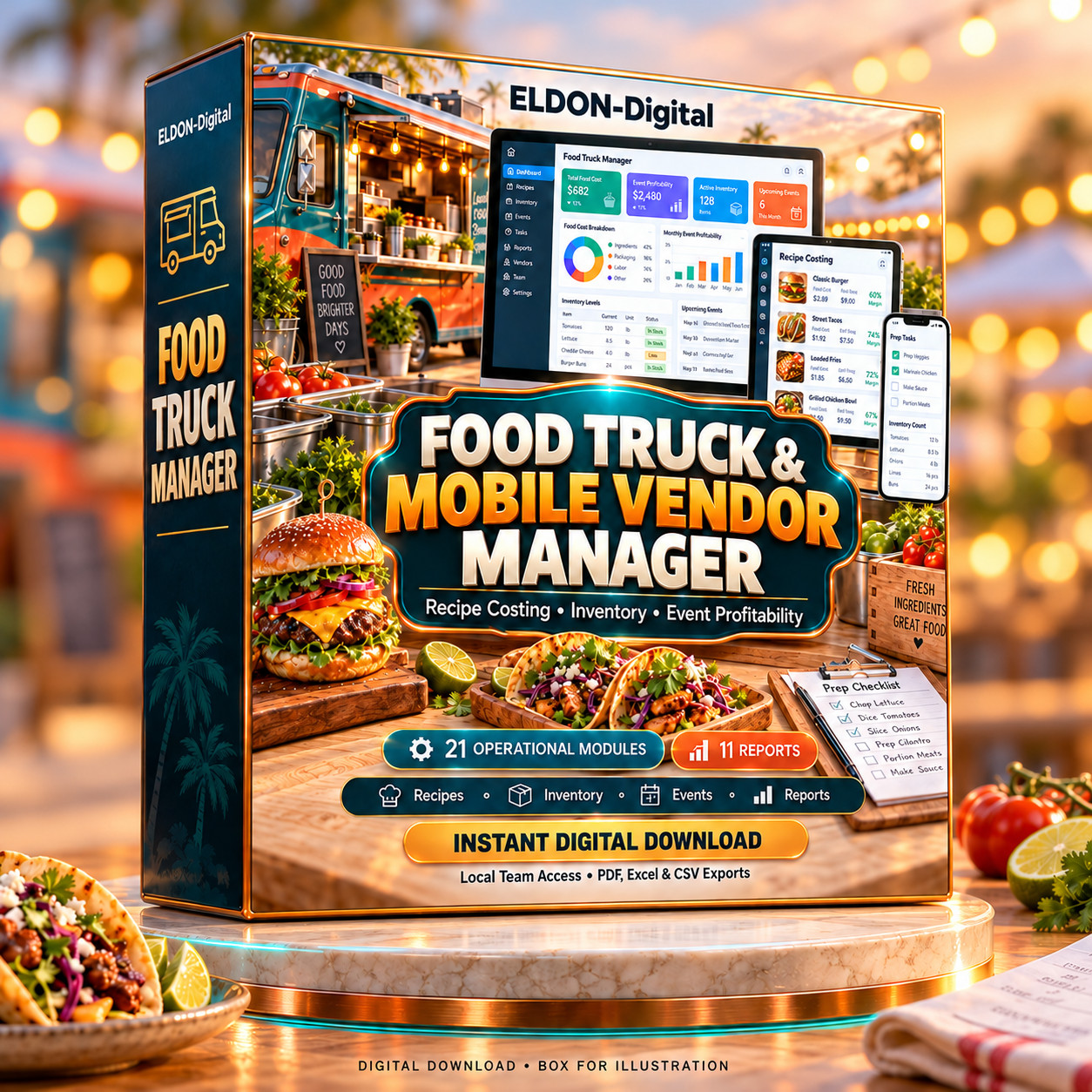
Food Truck and Mobile Vendor Manager is designed for foodtrucks, concession trailers, market vendors, pop-up kitchens, and mobilecatering businesses. Its colorful interface combines 21 operational modules, 11reports, customizable business details, and local network access for your team.
The application and documentation are supplied on the USBflash card. Copy the application package to your computer, follow the includedsetup instructions, and create your business workspace.
Multi-user access for your team
Give authorized team members their own accounts and accessto the same shared records.
- Create separate administrator and staff accounts.
- Configure permissions for viewing, editing, archiving, and exporting records.
- Allow multiple users to connect through compatible browsers on the same private local network.
- Access the workspace from connected computers, tablets, or phones.
- Keep shared business information stored on your host computer.
One computer runs the application and holds the workingdata. Other authorized devices connect to that computer through your privatenetwork. The host must remain awake with the application running during shareduse.
Recipe costing and menu pricing
Understand the costs behind your menu and review pricingusing your own business information.
- Build recipes, batches, and reusable sub-recipes.
- Record ingredient quantities, stock units, purchase costs, and edible yield.
- Calculate total recipe cost and cost per portion.
- Include per-item labor and overhead allocations.
- Review food-cost percentages and menu contribution.
- Calculate suggested selling prices from your target food-cost percentage.
- Scale recipes for portions, guests, pans, and production quantities.
- Store preparation methods, allergen statements, and nutritional notes.
Recipe and menu calculations reflect changes to theirunderlying ingredient information, helping you review costs as purchasingprices change.
Inventory and lot tracking
Keep an organized record of your ingredients from receivingthrough service.
- Track inventory by ingredient, lot number, location, and expiration date.
- Record opening quantities and supplier costs.
- Maintain stock counts, adjustments, usage, and transfers.
- Set ingredient reorder points.
- Review low-stock and expiration notices.
- Connect posted sales to recipe-based ingredient consumption.
- Record waste and spoilage against specific inventory lots.
Posting controls help preserve stock history and rejecttransactions that would consume more usable inventory than is available.
Suppliers and purchase orders
Connect purchasing plans with the stock your business needs.
- Maintain supplier contact details, payment terms, and receiving instructions.
- Prepare purchase orders with ingredient quantities and prices.
- Generate reorder orders based on low stock and quantities already on order.
- Receive completed orders into inventory lots.
- Update ingredient purchase costs when receiving orders.
- Export purchase documents for reviewing, printing, or sharing.
Events, customer orders, and service planning
Organize the details behind market days, private bookings,and catering events.
- Record customers, dates, locations, menus, and forecast quantities.
- Track deposits and operational balance reminders.
- Record location fees and commission arrangements.
- Plan menu quantities using expected guest numbers.
- Create linked preparation plans from event menu quantities.
- Generate event documents, including invoices with tax and deposit deductions.
- Review event activity alongside its associated sales and costs.
Preparation and production
Turn planned service quantities into practical kitchen work.
- Create preparation records linked to recipes and events.
- Assign tasks to staff members.
- Record due dates, priorities, portions, and estimated preparation time.
- Maintain preparation and packing checklists.
- Include instructions, notes, and overhead allocations.
- Keep related records connected for reference.
Sales, expenses, and cash reconciliation
Maintain consistent records for daily business activity.
- Enter sales manually or import them using the required CSV format.
- Review imported records before posting.
- Track discounts, collected tax, payment methods, and payment fees.
- Link sales to menu items, events, and staff members.
- Record expenses by category and relevant business activity.
- Track opening cash, paid-outs, and counted drawer totals.
- Compare expected cash with the amount counted.
- Record explanations for cash differences.
Posted sales retain their cost information for reporting,helping preserve the basis of recorded transactions.
Reports and event profitability
Use the dashboard and 11 reports to review recorded businessperformance.
Reporting areas include sales, menu contribution, eventprofitability, ingredient usage, inventory turnover, and purchase-pricevariance.
Event profitability calculations include applicable recordedfood costs, payment fees, location charges, labor, expenses, overhead, andwaste. Supported report filters help you focus on the information relevant toyour review.
Staff, time, and mileage
Keep useful team information in one workspace.
- Maintain staff contact details, skills, and availability.
- Record credentials and expiration dates.
- Store hourly rates and related pay information.
- Assign staff to operational records.
- Track event-linked hours and mileage.
- Calculate recorded labor and mileage costs using entered rates.
Vehicles, locations, and commissary records
Organize the resources that support your operation.
- Record vehicle registration details and availability.
- Maintain maintenance dates, service history, and operating instructions.
- Store service-location details and fee arrangements.
- Record commissary bookings, kitchen hours, and storage costs.
- Maintain facility closing checklists.
Permits, safety, and sanitation records
Keep operational documentation accessible.
- Track permit numbers, issuing authorities, and renewal dates.
- Assign responsible staff members.
- Record temperature checks manually.
- Maintain sanitation checklists.
- Link relevant checks to inventory lots.
- Document corrective actions and supporting notes.
These tools organize your records. They do not provideautomatic temperature monitoring or compliance certification.
Notices and email preparation
The optional sample pack includes eight editableindustry-specific email templates.
Customize message text, preview supported merge fields, andopen a prepared draft in your own email application. In-app notices help bringdue records into view while the application is running.
Email delivery remains under your control through your ownemail application.
Branded documents and exports
Create readable documents from your records.
- Export individual records or selected and filtered record lists.
- Generate PDF, XLSX, and CSV files.
- Include your configured business identity and logo in supported PDF and spreadsheet documents.
- Open host-computer exports through the operating system’s default application.
- Save additional copies for your records.
- Print PDFs through a compatible viewer.
Exports contain a snapshot of the selected information.
Colorful interface and business customization
The application features clear navigation, bold dashboardfigures, colorful highlights, adjustable text size, and display themes.
Customize your business name, logo, currency, datepreferences, tax settings, and document numbering prefix. Searchable recordsand consistent forms help keep everyday tasks organized.
Local data storage and backups
Working data is stored on the host computer. Core operationsrun locally without a required cloud account.
Built-in backup and restore tools help you preserve records,settings, and attachments. Optional sample data allows you to explore theworkflows before entering your own operational information.
Comprehensive illustrated guide included
The USB flash card includes a 33-page PDF guide featuring:
- A colorful full-image cover.
- Bold typography and highlighted instructional sections.
- Screenshots of the application.
- Setup and business customization instructions.
- Explanations of all 21 operational modules.
- Worked costing and profitability examples.
- Purchasing, inventory, sales, and cash workflows.
- Multi-user setup and permission guidance.
- Backup, export, and troubleshooting instructions.
- Practical operating checklists.
The guide is supplied as a PDF file on the USB flash card.
Package contents
- One physical USB flash card containing the application package and documentation.
- Food Truck and Mobile Vendor Manager, version 1.0.1.
- Windows 64-bit application files and launch tools.
- Included Mac builds for Intel and Apple silicon.
- Desktop shortcut setup tools.
- The 33-page illustrated PDF guide.
- Quick-start and workflow documentation.
- Audit and validation documentation.
- Optional sample records.
A computer, printer, and printed manual are not included.
Setup and compatibility
Copy the supplied application package from the USB flashcard to a permanent writable folder on your computer. Extract the ZIPcompletely, follow the launch instructions, and create your business profileand administrator account.
The application runs on your computer and displays itsinterface in a web browser. No programming runtime or separate databaseinstallation is required.
- Windows: The Windows 64-bit release has been tested.
- Mac: Intel and Apple silicon builds are included for macOS 13 or later. Native Mac testing remains outstanding. The unsigned application may require first-launch approval through macOS security settings.
- USB access: Your computer needs a compatible USB connection or suitable adapter.
- Multi-user operation: Requires an active host computer and devices connected to the same private local network.
- PDF documents: Require a compatible PDF viewer.
- Spreadsheet exports: Require an application that supports XLSX files.