Learn Microsoft Publisher 2007
Product Details
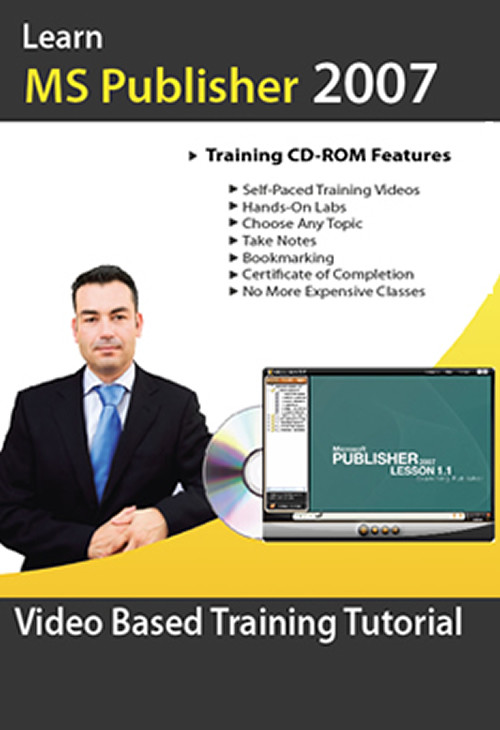
Learning Microsoft Publisher 2007 is easy with instructor-led Video Training
If you need to learn to use Publisher 2007, consider the Microsoft Publisher 2007 training tutorial course from CBT Planet. This self-paced training program is an excellent way to master the software and concepts you need for information gathering and sharing using dynamic electric forms.
We believe that computer based training is one of the best ways to learn new software because it puts you right into a simulated environment where you can see and do the tasks right on your own computer. The Publisher CBT delivers interactive content on your desktop. You’ll see videos demonstrating the steps and then work on creating your own forms in the hands-on labs. This see-and-do approach is highly effective. In fact, you don’t even need a copy of Publisher on your computer to benefit from the training because the Microsoft Publisher 2007 training CD comes with a simulation of the software.
If you like a self-study training program, you’ll love the Publisher 2007 video training disks. You can watch according to a schedule of your own design with no big commitment of time. You’ll learn how electronic forms reduce data entry redundancy and mistakes and how to implement them in your organization.
The Microsoft Publisher 2007 cbt training tutorial course will show you how to use these forms on the web, through email, and on mobile devices. You can learn how to integrate forms with databases for streamlined data entry and with spreadsheets for advanced analysis.
Whether you want to use templates or design your own complex forms, the Publisher CBT will show you how. You can convert existing Word or Excel documents into dynamic forms with built-in data integrity checks, generate PDFs, integrate with SharePoint Server 2007, protect forms, and centralize your forms management.
There’s no better way to learn these skills than by choosing the Publisher 2007 training CD.
Training Level: Basic to Intermediate
Table of contents
Lesson 1: Basic Publications 1.1 Examining Publisher1.2 Making a Quick Publication (Flyer)1.3 Saving Publications1.4 AutoRecover1.5 Blank Publications (Invitation)1.6 Adding Text
Lesson 2: Creating a Multi-Page Document 2.1 Creating a Newsletter2.2 Inserting Text2.3 Creating Text Boxes2.4 Fitting & Linking Text in Text Boxes2.5 Adding a Continued Notice2.6 Copying and Moving Text Boxes2.7 Resizing Text Boxes
Lesson 3: Text Editing and Formatting 3.1 Editing Text3.2 Text Box Formatting3.3 Paragraph Formatting3.4 Finding and Replacing Text3.5 Using AutoCorrect3.6 Spell Check
Lesson 4: Publication Formatting 4.1 Choosing a Different Layout4.2 Choosing a Color Scheme4.3 Choosing a Font Scheme
Lesson 5: Working with Graphics 5.1 Inserting Pictures from Files5.2 Formatting Picture Frames5.3 Wrapping Text Around Pictures5.4 Creating AutoShapes5.5 Formatting AutoShapes5.6 Deleting Autoshapes5.7 Aligning and Distributing AutoShapes5.8 Stacking Objects5.9 Grouping and Ungrouping Objects5.10 Using WordArt
Lesson 6: Distributing Publications 6.1 Emailing Newsletters6.2 Printing to a Desktop Printer6.3 Commercial PrintingSpecs and Support
Total training time: ~ 8hours
Content: CD-ROM disc (sealed in a DVD-case) Bonus course: Outlook 2007 Basic Training
System Requirements:
Platform: Windows 10, 8, 7/Vista / XP
Processor: Pentium 133 Mhz or higher
RAM: 32MB
Hard drive space: 10MB
CD-ROM Drive speed: 24X
Track Page Views With
Auctiva's FREE Counter