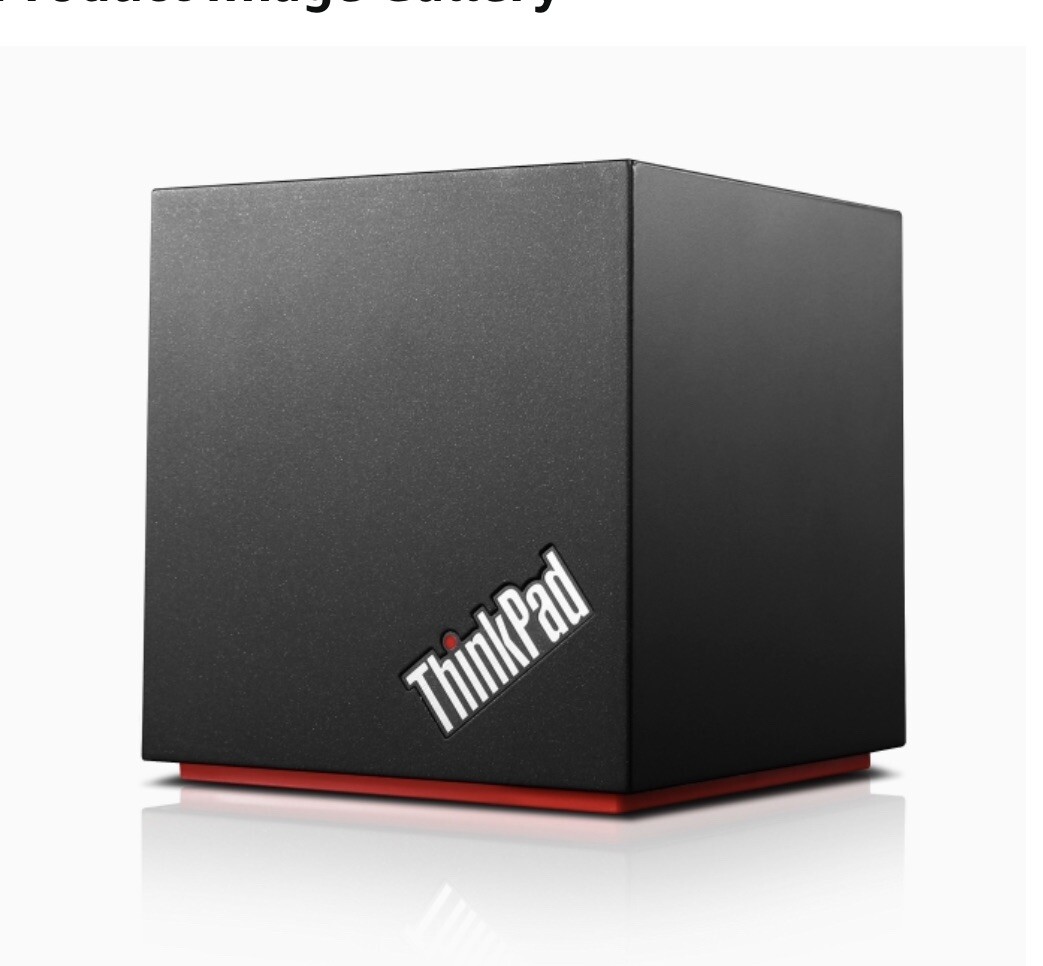
Dear Buyer,
Please pay attention to the detail pictures for better understanding about body condition, actual unit may have minor marks / scratches and The pictures are a part of the description, Please look at all of them carefully. You will get what is shown on the pictures.
It fully tested and all functions work.
It comes with Genuine power supply only.
OVERVIEW:
Totally wireless, ultra-high-speed docking for your laptop. With ThinkPad WiGig Dock, simply place a WiGig-enabled laptop near the dock and it connects to all of your peripherals effortlessly and instantly without any cables required! WiGig technology transfers data up to 10 times faster than WiFi, the same speed as wired docks. So you can watch your productivity soar, but without wires!Features and benefits: PLACE & GO CONVENIENCE Boost your productivity in no time by simply placing a laptop in the proximity of the WiGig Dock, which connects instantly to your devices! FLEXIBLE WORKSPACE Easily place your laptop anywhere you like without the restriction of a cable – no need for your computer to be fixed to the limitations of your desk space for cable connection. COMPREHENSIVE RESOURCE ACCESS WiGig Dock provides seamless access to virtually any peripheral, including dual HD displays, Gigabit Ethernet, keyboard, USB storage devices and more. SECURE COMMUNICATION Protect your content perfectly during device pairing and data transfer with encrypted communication based on Intel WiGig USB 3.0 (2 always-power-on ports provide up to 2.4A for mobile device charging)
2x USB 2.0
1x DP1.2
1x HDMI1.4a
1x Gigabit Ethernet
1x Stereo/Mic combo port
1x Kensington lock slot
1x DC in
WiGig standard
802.11ad(WiGig) V1.1
Frequency: 57GHz to 66GHz
WSE/WDE support
1
Dock coverage
180 degree of front panel
Note:
As notebook’s WiGig antenna coverage requirement, the recommended angel of notebook and WiGig dock is +/- 45 degree. Detail angel example drawing; please refer to WiGig dock user guide from below support
6ft for notebook/tent/stand mode
3ft for tablet mode and LCD closed mode
Note: No block is allowed between notebook and WiGig dock. Maximum Resolution Support/Refresh Rate
Signal display: 2560x1600@60Hz
Dual display: 1920x1200@60Hz
Note:
1. Notebook can support up to 2 extend displays including notebook video port and dock video port;
2. If notebook’s HDMI port is used, WiGig dock will not provide video output function.
3. If video port of OneLink+ Dock is occupied when connected to notebook, there is no video output from WiGig dock.
Maximum IO throughput
USB3.0: Up to 80Mb/s(read) & Up to 60Mb/s(write)
Ethernet: Up to 800Mb/s (Tx and Rx)