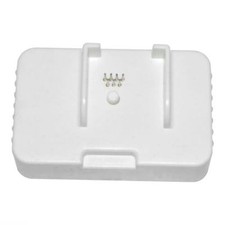
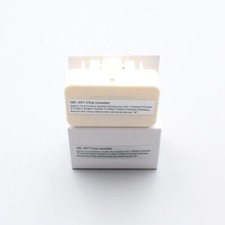
Brand HQHQ Product name Chip Resetter / Cartridge Chip Resetter / Cartridge Chip Restore Productnumber
QE-357
Suitable printers
For Epson SureColor T3000 / T5000 / T7000
For Epson SureColor T3070 / T5070 / T7070
For Epson SureColor T3200 / T5200 / T7200
For Epson SureColor T3270 / T5270 / T7270
For Epson SureColor T3050 / T5050 / T7050
For Epson SureColor T3080 / T5080 / T7080
For Epson SureColor T3280 / T5280 / T7280
Suitable cartridge number
T6921-T6925 / T6931-T6935 / T6941-T6945
T7061-T7065 / T7071-T7075 / T7081-T7085
Feature
Reset chip capacity to reuse,easy operation and saving printing costs
Condition Can only reset the original chip Warranty 1:1 Replace any defective What's in package
1 Piece chip resetter with box packaging
The QE-357 Chip Resetter is used to reset the chip for Epson ink cartridge.In order to reuse an original ink cartridge, it needs to be
both“reset”and”refilled”.
In first time you use the refillable cartridges and compatible ink,follow these steps:
1.Take off the original chips from the original cartridges, install them on the refillable cartridges.
2.Fill some cleaner into the cartridges,install the cartridges on the printer,then do cleaning for 2-3 times.
3.Pour out the cleaner,clean the cartridges, then filling ink into the cartridges.Press button to do cleaning for 1-2 times again.
4.You can use the printer now. Please reset the chips before the ink falls too low and refill the cartridges timely.
Use chip resetter to reset the chips,follow these steps:
1.There are 9 terminals on the chips, only the7 terminals inclosed with the red marker areuseful.See picture below:
2.Align the seven pins on the resetter with theseven contacts on ink cartridge chip.
3.Press down on the resetter, the LED lights willflash red at first.
4.Keep pressing 3-5 seconds,the LED light willchange from red to green.It indicates you successfully reset the chip.
Please reset the chip before the remaining ink falls to 15%. When the printer shows warning “X”, the chip cannot be reset.Shipping: we ship the item by DHL\FEDEX, very fast !