 When you click on links to various merchants on this site and make a purchase, this can result in this site earning a commission. Affiliate programs and affiliations include, but are not limited to, the eBay Partner Network. When you click on links to various merchants on this site and make a purchase, this can result in this site earning a commission. Affiliate programs and affiliations include, but are not limited to, the eBay Partner Network.
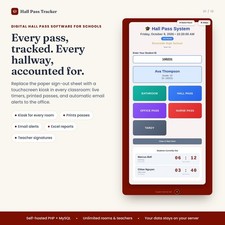
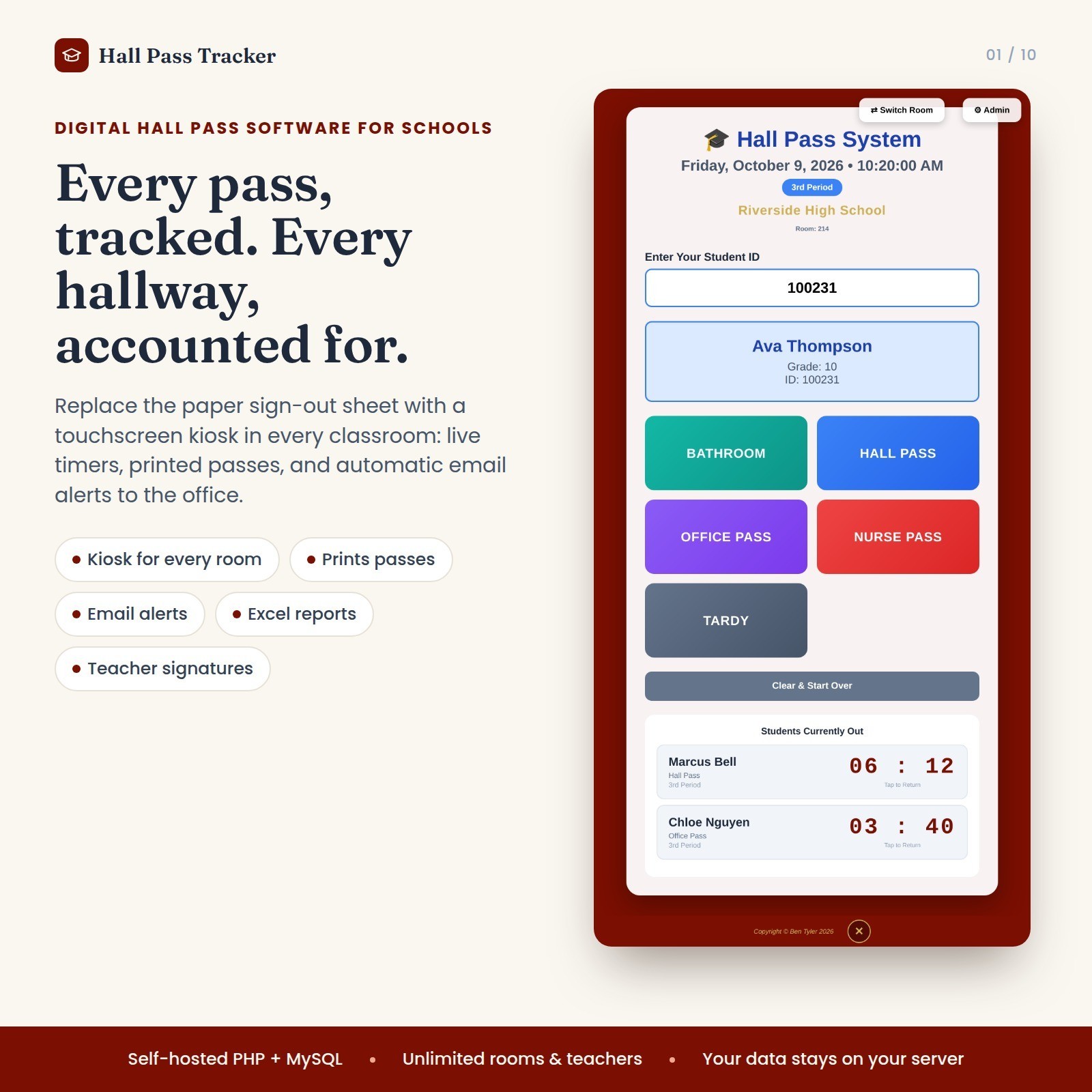
Try it now: classnotify dot com Digital Download, a link will be sent via Messager Stop guessing who is out of your room. Hall Pass Tracker is a complete digital hall pass system that runs on your own school network or web host. Students type or scan their ID at a classroom computer, a pass prints, and you can see who is out and for how long. Built for real classrooms - One-touch passes: Bathroom, Hall, Nurse, Office and Resource Room, plus an emergency bathroom option.
- Live timers: see who is out and how long they’ve been gone, with overtime warnings.
- Smart limits: block a student from leaving for a set number of minutes after a bathroom or resource pass, and flag students on a pass restriction.
- Multiple rooms: each teacher gets their own room login and PIN, and administrators see every room at once.
- Tardy tracking: log tardies with minutes late and get alerts at a threshold you choose.
Printing that fits your school - Laser or standard printers, 80mm thermal receipt printers and DYMO label printers.
- Optional teacher signature on printed passes. Upload a scan or phone photo and the background is removed automatically.
- Your school name, colors and pass footer on every pass.
For administrators - Reports by student, room, date and pass type, with Excel export.
- Upload your student roster from Excel.
- Bell schedule, multiple admin accounts, and an end-of-year reset.
- Optional email alerts (nurse, resource room, emergencies, long bathroom trips, tardies) from your school mail server.
What’s included - Complete program files (PHP/MySQL)
- Quick Install Guide (PDF)
- Illustrated User Manual (PDF, 19 pages)
- A one-click kiosk launcher for Windows
- An optional demo database to explore with fictional students
What you need - A Windows PC with the free XAMPP package, or a web host with PHP 7.4+ and MySQL/MariaDB
- Google Chrome on classroom computers
- A printer, if you want printed passes (optional)
- Basic comfort copying files and following the install guide. Most schools finish setup in about 20 minutes.
Please note: This is software that you install yourself, not a printable or a Google Sheet. Student data stays on your own server. Check your school’s technology policy before installing.  |
|