iClever Bluetooth Wireless Keyboard Japanese JIS Layout Supports 3 Simultaneous Product description:
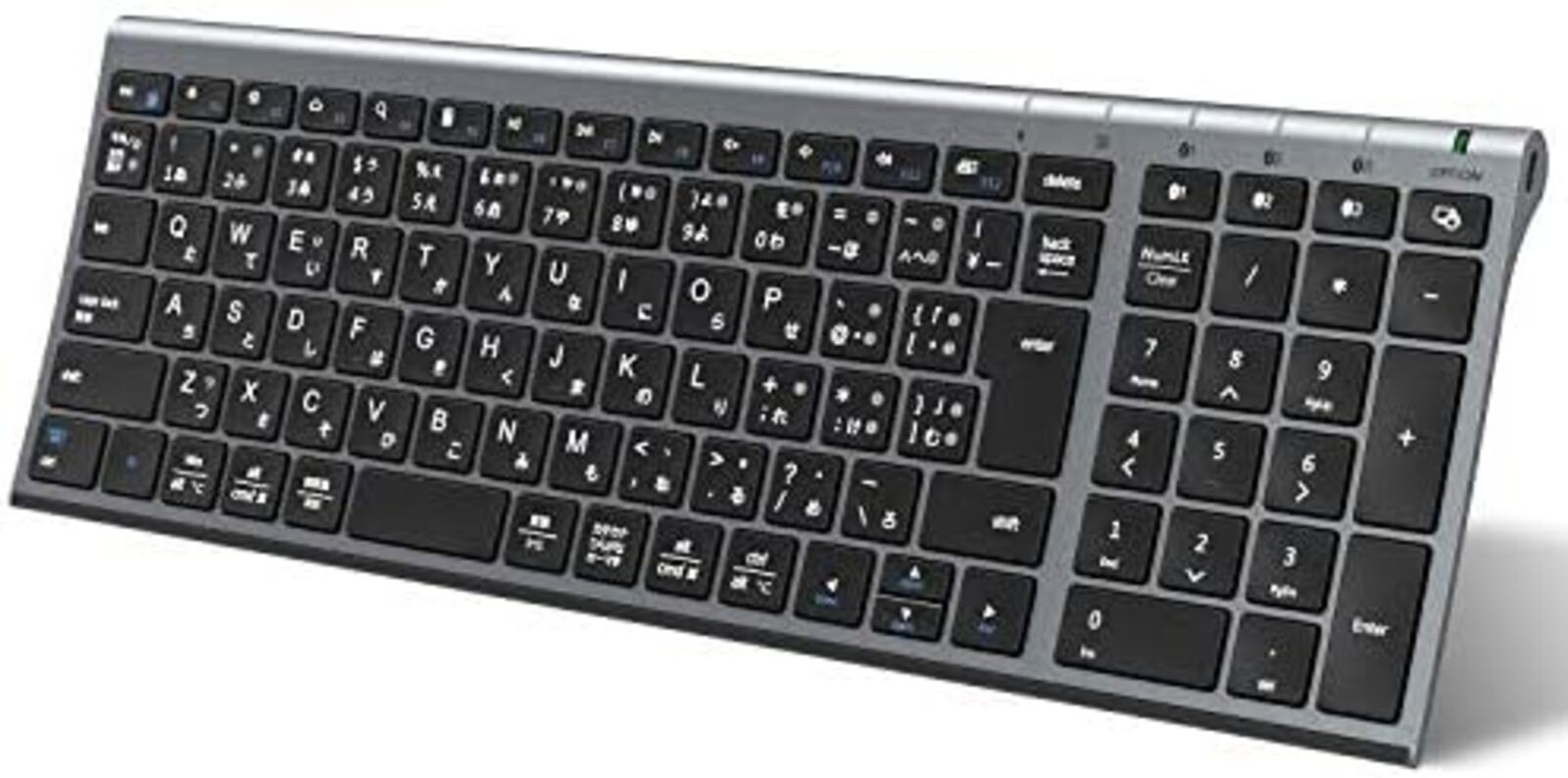
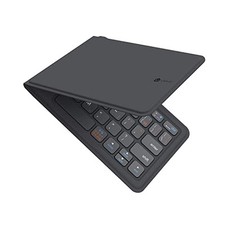
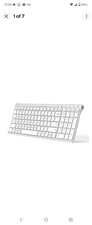
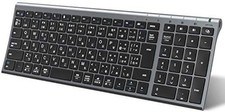
[Japanese Array Bluetooth Keyboard with Numpad] Ideal for emailing, manuscript writing, and frequent number typing, the advantage is that it is clean on the desk.
3.95mm ultra-thin and sleek body, simple and stylish appearance, can be used in the office or at home.
Body dimensions: 36.6x12.5cm, the thinness of the keyboard (1.6 cm in the back ~ 0.3cm in the front) speeds up your work. If you have any
questions, please contact our customer service.
[Easy to Type] It uses the same "pantograph method" as a laptop, with an easy-to-type 19mm key pitch that is easy to operate even with fingertips with nail art.
The shallow 1.8mm keystroke provides a quiet, comfortable, and smooth typing feel.
Since you can press keys with light force, you won't feel tired and you can type with your wrist at its most relaxed.
It is especially recommended for those who often use laptops and those who want high-speed input.
[Multi-OS support & automatic OS recognition] Can be used on iOS, Android, and Windows smartphones, tablets, PCs, and laptops (Bluetooth function required).
In addition, it can automatically identify the OS of the connected device, so there is no need for troublesome initial settings. It can be compatible with devices such as iphone, iPad mini, iPad, iPad Air, iPad Pro, Mac, ios, Anroid, and Windows.
The connection distance is up to 10 meters, and the connection can be stable and smooth.
*On iOS and iPadOS, it is recognized as an English keyboard (note below).
[Can Connect with Up to 3 Devices via Bluetooth]: It can be paired with up to 3 devices with different operating systems, and can be used with one touch to quickly switch between devices.
Equipped with Bluetooth 5.1 chip for maximum connection stability.
[Excellent Durability and Long-Term Use]Galvanized steel is used on the back of the keyboard, which has a more luxurious and quality feel than plastic products.
As for the nature of the material, it is not easy to corrode, can withstand many years of use, and has excellent durability. This is a USB-C rechargeable keyboard. It can
be fully charged in just 2 hours and can be used continuously for 90 hours.
Brands : iClever
Compatible Devices : Laptops, Laptops, Tablets, Phones, PCs, iPads, iPhones, Surface Microsoft, iMac, Macbook
Connectivity Technology : Bluetooth
Keyboard Description : Multimedia
Recommended Uses : for_computers, for_smartphones_or_tablets, Office Supplies, Telework, Personal, Business, Multimedia, Student, Education, Everyday Use
Features : Ergonomic, With numeric keypad, Pantograph, Portable, Thin
Color : Grey Black
Style : Minimalist
Product Dimensions : 36.6L x 12.5W x 1.6H cm
Material : ABS, Aluminum, Metal
Brand Introduction
WorkMate NumMate SilentTap FoldMate iClever Numpad Bluetooth/2.4G iClever Bluetooth & Dual Mode Keyboard iClever Keyboard & Mouse Set iClever Wireless Mouse Dual Mode & 2.4G Wireless iClever Gaming Keyboard Keyboard Case for iPad & Gaming Series
Product Description ◇IC-BK22 undergoes regular version updates (specification changes), and the following specifications are currently available in iClever brand stores.
/ When pairing is completed, the lamp has been changed to an off state.
/ The charging terminal on the keyboard side has been changed to USB Type-C.
iClever 3 simultaneous bluetooth keyboard with numeric keypad
USB-C charging makes it more convenient and energy-saving.
Once charged, it can be used continuously for more than 90 hours.
It also achieves 3 months of standby time.
To save power, if you don't operate for 30 minutes, the keyboard will automatically enter sleep mode.
To restart, press any key and wait for 3 seconds.
3.95mm ultra-thin sleek body, simple and stylish appearance, can be used in the office or at home.
Body dimensions: 36.5x12.5x1.8cm, the thinness of the keyboard (1.5 cm in the back ~ 0.3cm in the front) speeds up your work. The ultra-thin design is lightweight and compact, so you can take it anywhere in your home.
With Bluetooth connection, it is compatible with Windows or Mac, Android or iOS. Can be used on iPads, iPhones, smartphones, tablets, PCs, and laptops. Familiar keyboard layout, including your favorite shortcuts.
It can also be connected to three devices and switch between devices with a single button.
No cables required, space-saving design that makes effective use of space around the desk. In addition, the ergonomic slightly tilting slope design reduces hand fatigue.
* Bluetooth version: Bluetooth 3.0 or later *Devices before Bluetooth 2.1 may not connect or operate properly.
*External Bluetooth adapters may not connect or operate properly due to model compatibility. It
uses a "pantograph method" that allows you to type keys with light force.
A wide key pitch of 19mm and an isolation design that prevents multiple keys from being pressed at the same time.
In addition, the 1.8mm stroke key is used to fit perfectly with your fingertips, making typing comfortable as if you were operating a laptop.
In addition, the Japanese JIS arrangement is equipped with a large "enter" key, and both "Delete" and "Backspace" are equipped with a key arrangement that takes into account the typing habits of Japanese people.
Reliable, excellent Bluetooth 5.1 connection.
iclever's Bluetooth connectivity provides a better and more reliable connection with no lag or missing data. Whether it's
on your desk or on your lap, you can place it anywhere within 10 meters.
It's a gentle keyboard that makes your daily work a little easier.
*Communication range varies depending on usage environment and situation.
Pairing the first device Step 1. Turn on the power switch.
Step 2. Press the Bluetooth channel 1 key for about 5 seconds to enter channel 1 pairing mode.
Turn on the Bluetooth function of your device-> Search for available devices.
Step 3. Select "iClever IC-BK22 Keyboard" on the display screen to connect.
Step 4. Once connected, the status indicator will turn off blue.
1*Wireless keyboard 1*Micro USB cable 1*Instruction manual Customer Q&A Q:The keyboard cannot be charged A:Please make sure that the USB charging cable is connected to a power source, such as a keyboard and a computer.
Q: I can't switch between Japanese and English A: For iOS system, tap [Settings-> [General-> [Keyboard]-> [Keyboard]-> [Add New Keyboard], and select [Japanese].
Q:If the text does not respond A:1. There may be dust or other foreign objects stuck in it, so please blow the relevant key with a hair dryer. 2. We would appreciate it if you could attach tape or sticker to the relevant key and pull it up.
3. For iOS system, please set it as follows. Settings-> Accessibility-> Touch->Assistive Touch (on)-> Mouse Keys (off) Q:How to switch languages with Win A: Please set the layout once and then check the operation.
Using Win10 as an example, I will explain how to set it up.
Use [Win Cmd] + [Space] to enter Japanese input mode.
Start > settings (gear icon) > time and language> Add "Japanese" in the preferred language > language.
Select the preferred language [Japanese]-> Select the option, and if the hardware keyboard layout setting is "English keyboard (101/102 keys)", change the layout to the following.
-> change the layout, select "Japanese keyboard (106/109 keys)" -> Restart now.
We would appreciate it if you could check the input again after restarting.
You can use kana and half-width keys.
Q: The same character is typed consecutively, the same character is typed repeatedly, the letter is doubled, and the same character is typed consecutively. A: Setting the keyboard's response speed is more effective than setting the speed of the key repeat interval from the Control Panel.
2. Restart your device. 3. Charge the keyboard for about 30 minutes.
Low battery power may adversely affect connectivity and overall functionality.
4. Keep your device as close as possible to the keyboard.
(Within 30cm) 5. Keep away from surrounding metal or other wireless signal sources when using it. (20cm or more) 6. Do not use the keyboard on a desk with a metal surface. 7. Check if any updates are running in the background that may cause delays.
8. Make sure your operating system (OS) is up to date. 9. If you encounter similar problems or try to connect and input on another computer/smartphone/tablet.
Q: Bluetooth connection is broken A: Please reset the keyboard by pressing 1. fn + left shift + backspace keys at the same time. 2. Restart your device. Charge the keyboard for about 30 minutes.
3. Turn off the Bluetooth or power of the Bluetooth device you are not using, or place it in a distant place.
4. Make sure your operating system (OS) is up to date. 5. Turn off the Bluetooth of the other device and retry pairing your device with this product.
If you still cannot connect, please remove the recognition of this product displayed on the Bluetooth management screen of your device and then try pairing again.
*Please note: The following devices and operating systems may not be compatible or may cause connection and operation errors due to incompatibility.
Please be careful.
iPad mini, Mac mini, Lenovo yoga Tab11, Nokia smartphone, Amazon Fire TV Stick, Samsung Smart TV (UE37ES5500/UE55KU6400U/UE48JU6400), Android OS 12, OS not listed on the product page (FireOS, ChromeOS, etc.), PS5, Nintendo Switch game consoles, mini PCs
Japanese electrical products typically operate at 100V input voltage (Type A plug). If the voltage is not specified in the description or Item Specifics, the product may only support 100V input. A voltage converter may be required to use 100V devices in your country. Please contact the seller for accurate input voltage details.
Shipping:
- Economy Shipping :
USA: 2-3 weeks, Air Mail with Tracking number
ASIA: 2-4 weeks, Air Mail with Tracking number
EU, UK: 2-4 weeks, Air Mail with Tracking number
AU, NZ, CA: 2-4 weeks, Air Mail with Tracking number- Standard Shipping : Air Mail/EMS/Other shipping methods- Expedited Shipping :
USA: 2-5 days, Fedex/DHL-Express/EMS with Tracking number
ASIA: 2-5 days, Fedex/DHL-Express/EMS with Tracking number
EU, UK: 3-6 days, Fedex/DHL-Express/EMS with Tracking number
AU, NZ, CA: 3-6 days, Fedex/DHL-Express/EMS with Tracking number*)Depending on the destination address and type of product, the planned shipping method may be changed. If you want to know the shipping method, please contact us before purchase.
*)If you need faster shipping, please contact us before purchase.*)Shipping to the U.S. includes U.S. import duties and customs fees.
International Buyers - Please Note:
For orders shipped outside the U.S., import duties, taxes and charges are not included in the item price or shipping charges. These charges are the buyer's responsibility.
Please check with your country's customs office to determine what these additional costs will be prior to offerding/buying.
These charges are normally collected by the delivering freight (shipping) company or when you pick the item up - do not confuse them for additional shipping charges.
EU Right of Withdrawal: If you are a consumer in the European Union, you may withdraw from this purchase within 14 days of delivery without giving any reason. In addition to notifying us by message, you can exercise this right by selecting the "Return item" option on your Purchase History or Order Details page and choosing the "Withdrawal from Contract" reason. You may also exercise your Right of Withdrawal online at Import Duty Notice (effective July 1, 2026): Following the EU customs reform, parcels with a declared value of EUR 150 or less are subject to a flat duty of EUR 3 per item type when imported into the European Union.
- If your order ships by express courier (DHL / FedEx via SpeedPAK), this duty is prepaid by us and no further charge applies to you.
- If your order ships by standard mail (Japan Post), the duty is collected from you (the recipient) by your local customs or postal service on delivery.
Please take this into account before purchasing.
duck_shop_japan