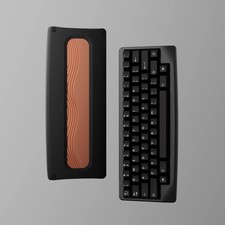
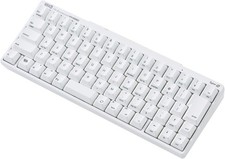
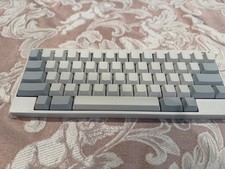
⌨️ KBDfans Agar Keyboard Kit
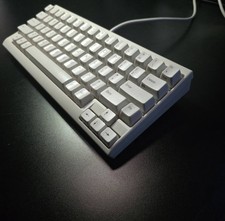
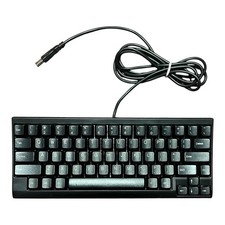
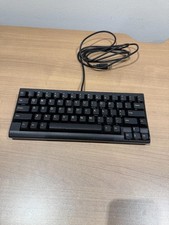
Premium HHKB-Layout Mechanical Keyboard with Hot-Swap Support
✨ Premium Features🔥 Hot-Swap Design
MX Hot-Swap PCB allows easy switch replacement without soldering. Experiment with different switches to find your perfect typing feel.
🎨 Multiple Finish Options
Choose from anodized aluminum finishes (Black, Silver, Gray, Coffee, Burgundy, Pine Green, Lavender, Light Blue, Light Pink), PC translucent (White, Purple), E-White, or Stone Wash Red.
💡 RGB Underglow
Built-in RGB underglow with Caps Lock LED support. Create stunning lighting effects to match your setup.
🎛️ VIA Compatible
Full VIA firmware support for easy key remapping and macro programming. Customize your layout without coding.
📋 Technical SpecificationsLayoutHHKB-Style 60% CompactPCB TypeMX Hot-Swap (1.6mm thickness)Firmware SupportVIA CompatibleMountingTop-Mount with DaughterboardPlate OptionsAluminum Black or PC (Polycarbonate)RGB LightingUnderglow + Caps Lock LEDConnectionMagnetic Pin Header with DaughterboardSwitches IncludedNo (Hot-Swap compatible with MX switches)Keycaps IncludedNo (Barebone kit)📦 Package Contents
• Agar Keyboard Case (your choice of color/finish)
• Hot-Swap PCB (pre-assembled with daughterboard)
• Plate (Aluminum Black or PC - your selection)
• Magnetic Pin Header (for easy assembly)
• Daughterboard (included and installed)
• Hardware Kit (screws and mounting accessories)
❓ Frequently Asked QuestionsQ: Do I need to solder anything?
A: No! This is a hot-swap kit. Simply insert your MX-style switches into the sockets. No soldering required.
Q: Are switches and keycaps included?
A: No, this is a barebone kit. You'll need to purchase MX-compatible switches and keycaps separately to complete the build.
Q: What's the difference between Aluminum and PC plates?
A: Aluminum plates provide a firmer, more stable typing feel with a higher-pitched sound. PC (polycarbonate) plates offer more flex and a softer, deeper sound signature.
Q: Can I reprogram the keys?
A: Yes! The PCB supports VIA firmware, allowing you to remap keys and create macros through the VIA configurator software.
Q: What is the HHKB layout?
A: HHKB (Happy Hacking Keyboard) is a compact 60% layout with a unique key arrangement. The Control key is where Caps Lock usually is, and Backspace is above Enter for improved ergonomics.